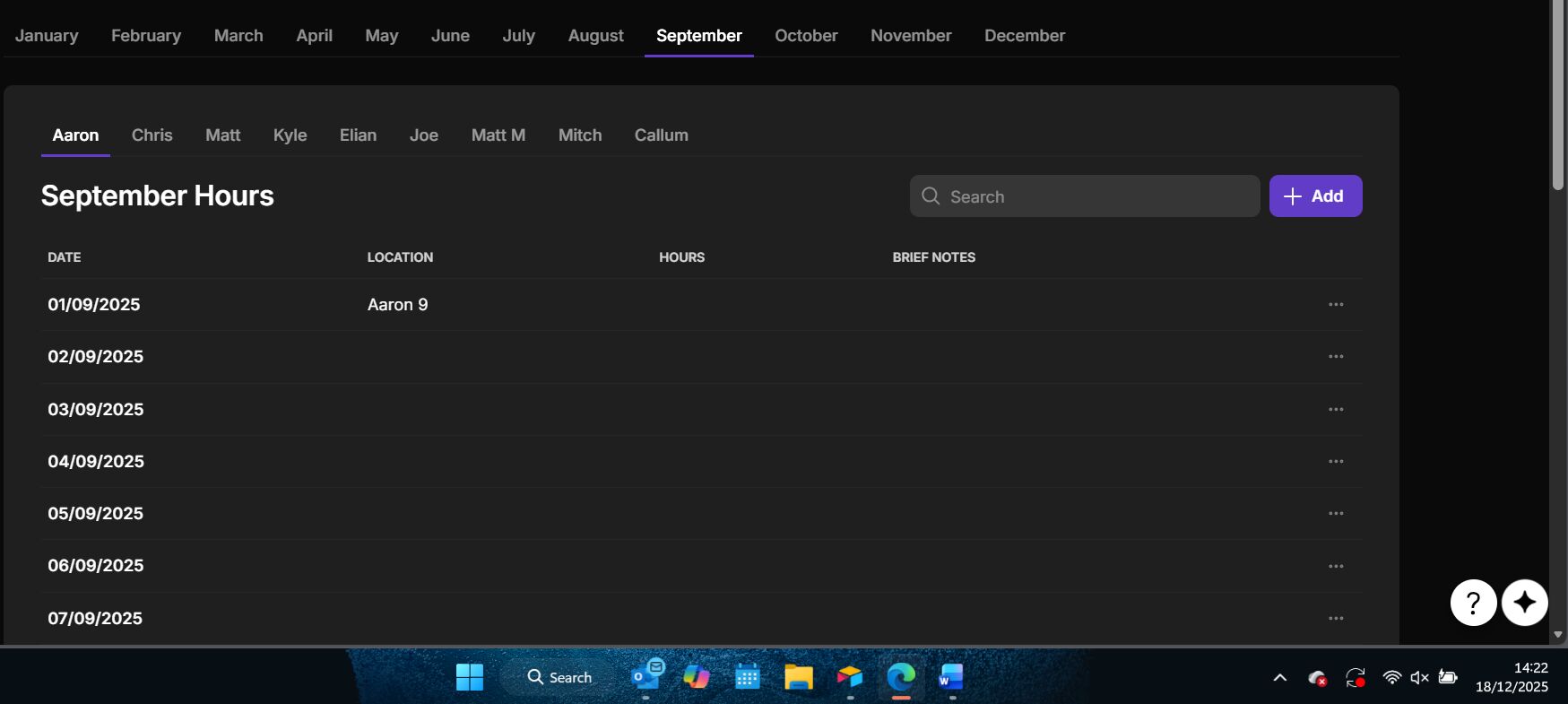
I’m struggling to make this work, i have a table for each operative (9 tables), i have a tab for each month, inside that tab is a tab container for each operative containing their own filtered table just showing that months timesheet.
My query is i want a button at the bottom of each container to create a PDF of the information shown above for that operative for that month, but everytime i set it up it just gives me january’s timesheet for the first operative (Aaron) with minimal information, only the first entry.
Any help would be appreciated, im new to glide and its frying my brain!
Use tabs instead of tab containers so you can capture the selections
Use a query column that points to the timesheet and uses the selections as the filters
— Note: you’ll probably have to convert the month selected to some sort of numeric date value (yyyymm) so that you’re querying the correct timesheet entries. See https://youtu.be/AVSavEhdt6Y?t=195 starting at 3:10)
Generate your PDF using the returned records from the Query (lots of ways to do this)
Want to provide some clarification as to how you plan on crafting the PDF? HTML to PDF? One of Glide’s integrations?
I was intending on using an integration but to be honest im open to suggestions, currently i have tabs for the months section at the top and tab containers for the operatives as it seemed to of flowed better and kept everything neat and easier to follow (as the operative tabs were in the container aswell) this made it easier to navigate and segragate for the office staff
Agreed— tab containers offers an easier build experience. However, the value selected in a tabs container doesn’t get written anywhere which means we can’t filter our time sheet records by what’s selected which is what’s required for a functional query.
As for the PDF generation, you can use Docs Automator for an easyish (but paid) solution: Glide | DocsAutomator. Otherwise, you can use Loqodes HTML2PDF plugin for a free (but potentially somewhat labor intensive) setup: 🔥 Free Glide PDF Plugin - HTML2PDF
Right that makes sense it ends up being self contained in the container, hence why when i try the integration it always shows the the original table not the one im currently on. Ive even rried putting the button in the container with said table and still nothing.
So does that mean my current set up, theres no way of of printing specif things and ill have to redesign the whole app? Or is there any other method?
Im still yet to explore the HTML method tbh because i have no idea how to use it to get the look i want (even as simple as the design is) , i was trying to get a test run working first then worry about asthetics.
First up, I don’t think you should have a table for each “operative”. Is there a way for you to consolidate info into one single table, separated by a column to define the “operative”.
Then, you can build this tab on top of your user profiles table, and store filter values there.
The rest is just about querying to get the right data, and feed it into your PDF.
sequenceDiagram
  autonumber
  actor Staff as Office staff
  participant App as Glide app
  participant Data as Data layer
  participant Service as PDF service

  Staff ->> App: Select month tab
  Staff ->> App: Select operative tab
  App ->> Data: Build yyyymm filter
  App ->> Data: Query timesheet records
  Data -->> App: Return records
  Staff ->> App: Tap generate PDF
  App ->> Service: Send payload
  Service -->> App: Return PDF link
  App -->> Staff: Show link and download
I have now put it all into 1 table instead of 9 and changed it through filters and ive got the print function to work, however i can only get it to print 1 record. but im after a button that would print the entire january time sheet for one operative for instance, is this possible or am i asking too much at this moment in time?
Are you creating a query based on the Month and Operative values? That query is ultimately what you should be using for the source of your table and the data for your PDF integration.
i did that but still i could only get it to print 1 record lot not the entire month. also doesnt help that i cant seem to get it working at all if its inside a tab container.