Hi, I’m having trouble saving a text “Family ID” when inputted (and SUBMIT) using mobile. It works fine if I input the text in Glide builder on my Mac laptop. I’m struggling with this for the entire week. Please help. More info - Using a “Show detail screen” to get the input from the users for the text field “Family Last Name” which should get saved in the field “Family ID” in the “Users” table.
I don’t follow exactly but your screen or the previous one should be sourced to a table where Family ID is available as a value. When you submit the form, add a Screen value (it’s a hidden value associated to the context of the screen) to write the value of Family ID in the appropriate column.
Hi, I will try to explain to you to the best of my abilities, where I’m having the problem. I have a “Users” table where I want to save the “Family ID” that the user will input using an EDIT screen and “SUBMIT”. After “SUBMIT” is clicked a workflow called “Complete Onboarding” is triggered where I used “Set Column Values” to reset 2 column values. Now the problem is when I use the Glide Builder layout screen, the “Family ID” gets saved in “Users” sometimes, and other times it gets written into the field but disappears after 3-4 seconds. If I use a different safari browser on the same Mac laptop (or use a mobile) to test it, the Family ID doesn’t get saved at all, the field is empty. If you want I can attach some screen shots. Thanks so much!


Thanks Darren. But ‘Family ID’ was never set as a Role. There is a complete disconnect between how the Glide Builder layout is behaving than how the Glide App is behaving on a mobile. On the mobile, the “Family ID” is not getting extracted in EDIT Screen (I have inserted a made-up Family ID). So, no wonder, nothing is getting saved there. Attaching the screenshots if these help understanding my problem. Thank you so much!!


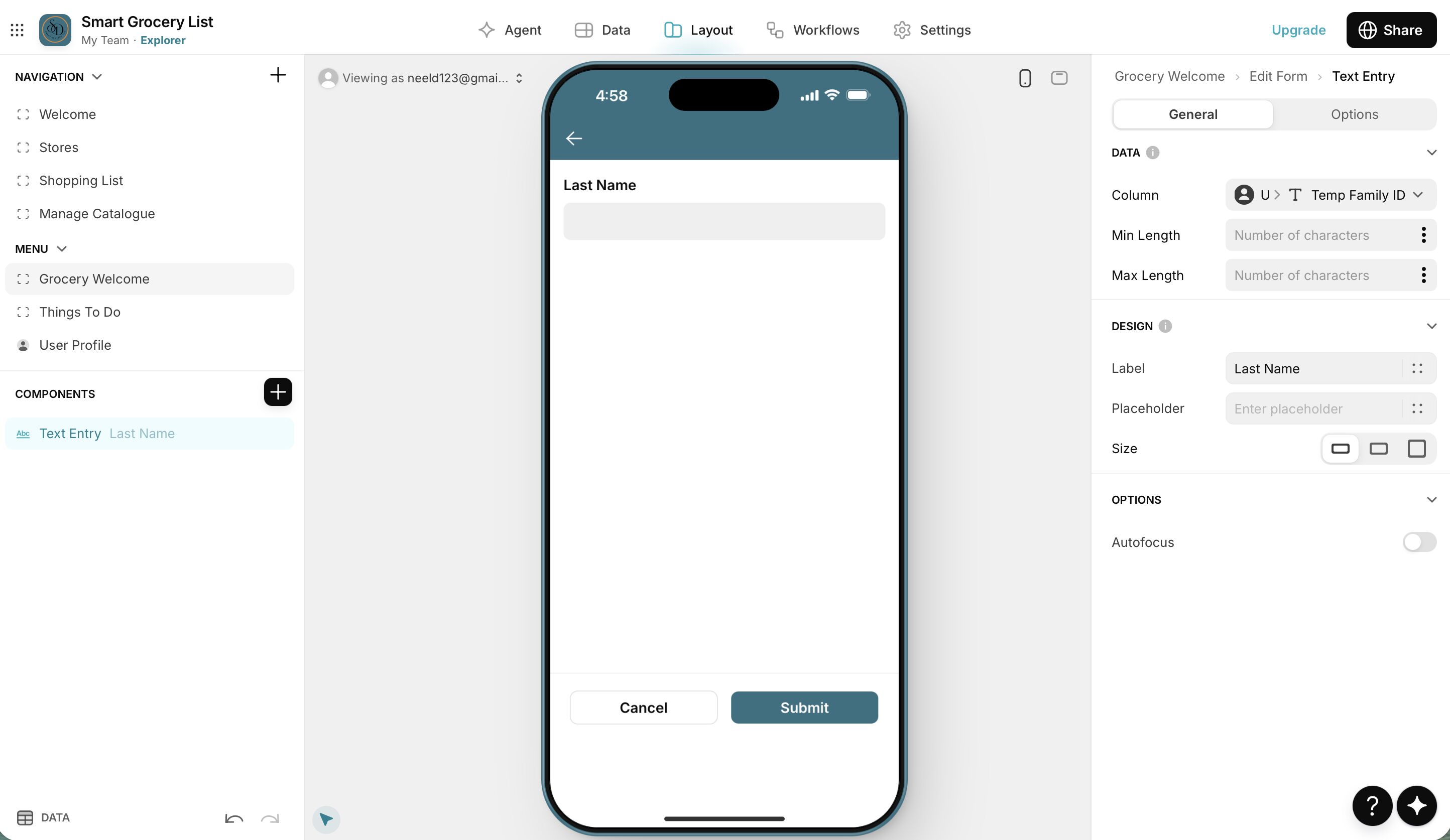
Can you show me your User Profiles configuration?
I ask, because the behaviour you described is exactly what would be expected if you were attempting to modify the columns that were configured as either Role or Email in User Profiles.