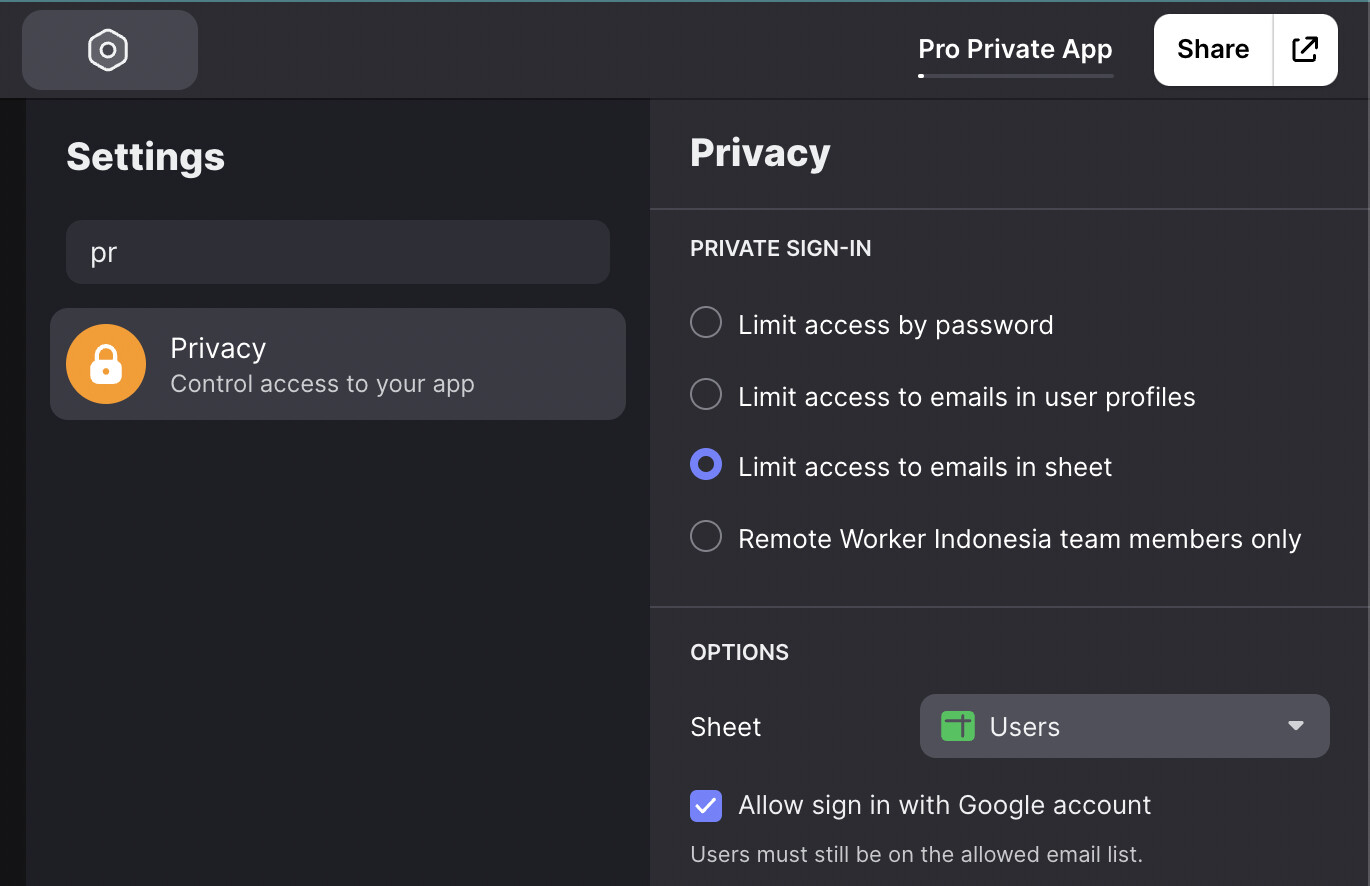
So, what I want is: everyone can signup and then signin to my application. After that, admin will manually set their role and the app will change based on the role
But looking at this screen… where is the public signin? I saw that in a lots of glideapp official tutorial page
Role based security is more about securing data. It’s like Row Owners, where you can secure data to a specific user, but with Roles you can secure data in the same way for multiple users that belong to the same role. It’s a matter of setting the Row Owners option on the columns that contain the role instead of an email address.
Securing data through Row Owners or Roles, means the data is not downloaded to a user’s device if they don’t have ownership of the data. That’s the security part of it. If row owners aren’t applied to emails addresses or role types, then all data is downloaded, regardless if it’s visible in the app or not.
You can hide data from view through visibility conditions and filtering, but that doesn’t necessarily mean the data is inaccessible to someone with the technical abilities to find the data in the code. You may have roles enabled, but the way you are using it in your screenshot is not for data security. You are just using it as a visibility condition on a tab. Based on what you are showing, you could do that same thing on any of the plans.
You need to decide if you just want to filter or hide certain parts of an app based on a user’s role, or if you are actually trying to secure the data based on the role.