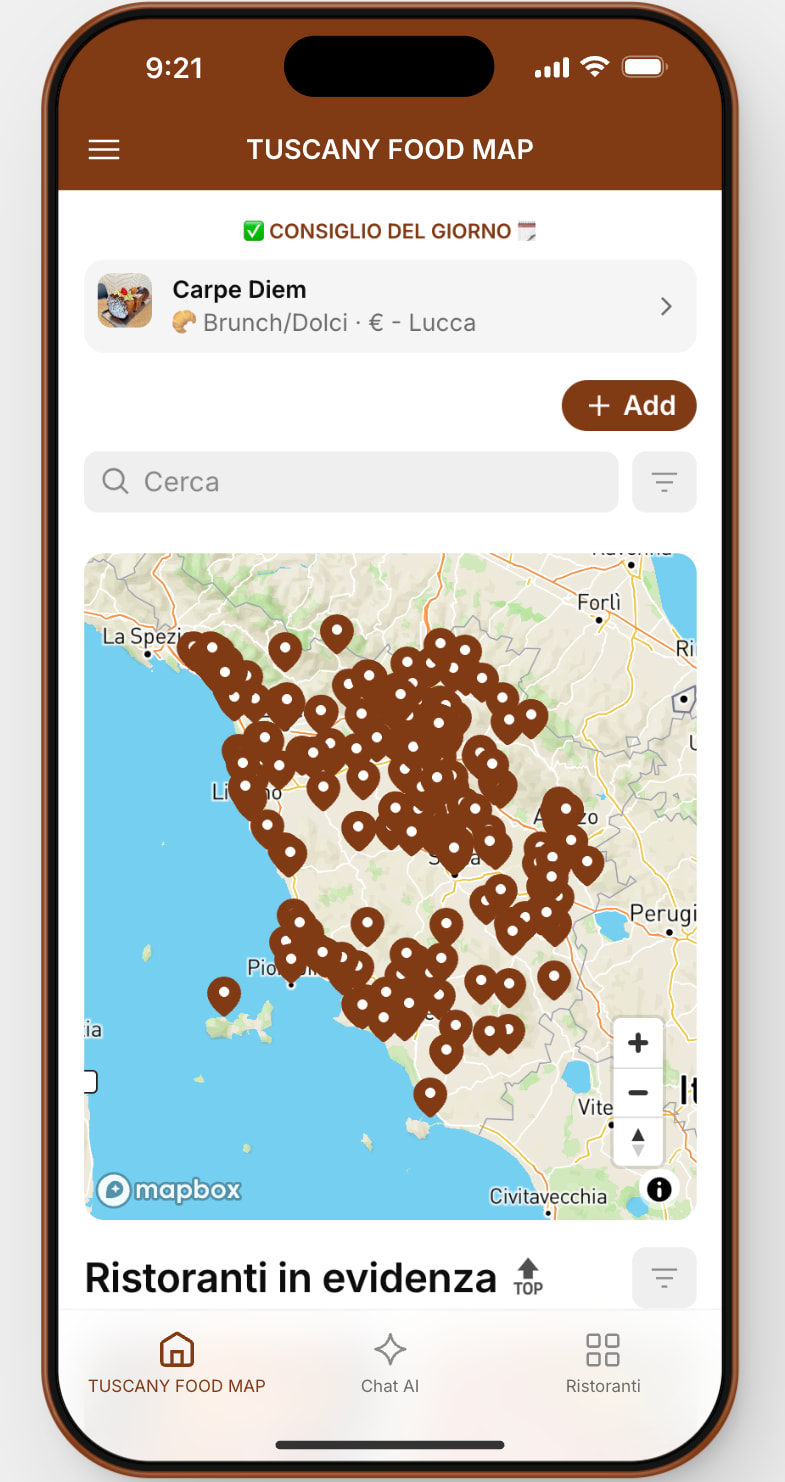
Hi everyone,
I’m experiencing a UI bug where an “Add” button appears in my app but cannot be removed in any way.
What I’ve already tried:
- Direct component deletion (button does not appear as a removable component)
- Visibility conditions (cannot permanently hide it)
- Layout editor checks
- Support troubleshooting via Builder chat and email
Reverting to a previous app version is NOT an option, as it would remove important new features.
This looks like a rendering or configuration bug that requires internal intervention.
App ID: [Tuscany Food Map]
Has anyone experienced something similar?
Glide team: this app is in production and this button must be removed.
Thanks in advance.
The right one:
The wrong one
Go to actions tab for the component and remove the title bar Add action.
Hi, thanks for the suggestion.
I’ve checked the Actions tab for the component, but there is no “Title bar Add action” available to remove .
There’s also no related option in the Options section.
The button doesn’t appear to be a manually added action, but rather an automatically generated “Add” button , since the component itself doesn’t expose any control for it.
If you have any other ideas on where this “Add” might be coming from (especially with Maps / Collections), I’m happy to try.
Thanks again for the help.
That’s weird. You should have something like this.
What happens if you remove the component and add it again?
Based on your screenshot, it seems you selected the “Map” component instead of the “Collection component. That "+Add” button is the title bar action of the collection.
On the left click on collection, then on the right click on actions. There you can remove the title bar action.
Thanks for the input!
Just to close the loop: I solved it by deleting the Map component entirely and recreating it from scratch .
After rebuilding the map, the “+ Add” button disappeared and didn’t come back.
Looks like it was a component-level UI glitch rather than an action or permission setting.
Thanks again for the help