I’ve noticed an issue with how Glide handles file names when uploading documents into both single file and multiple file columns.
Although there is an option to “preserve file name on upload”, the resulting file names are not user-friendly. Special characters (such as spaces) are converted into encoded strings (e.g. %20), which makes the file names difficult to read and unprofessional in the UI.
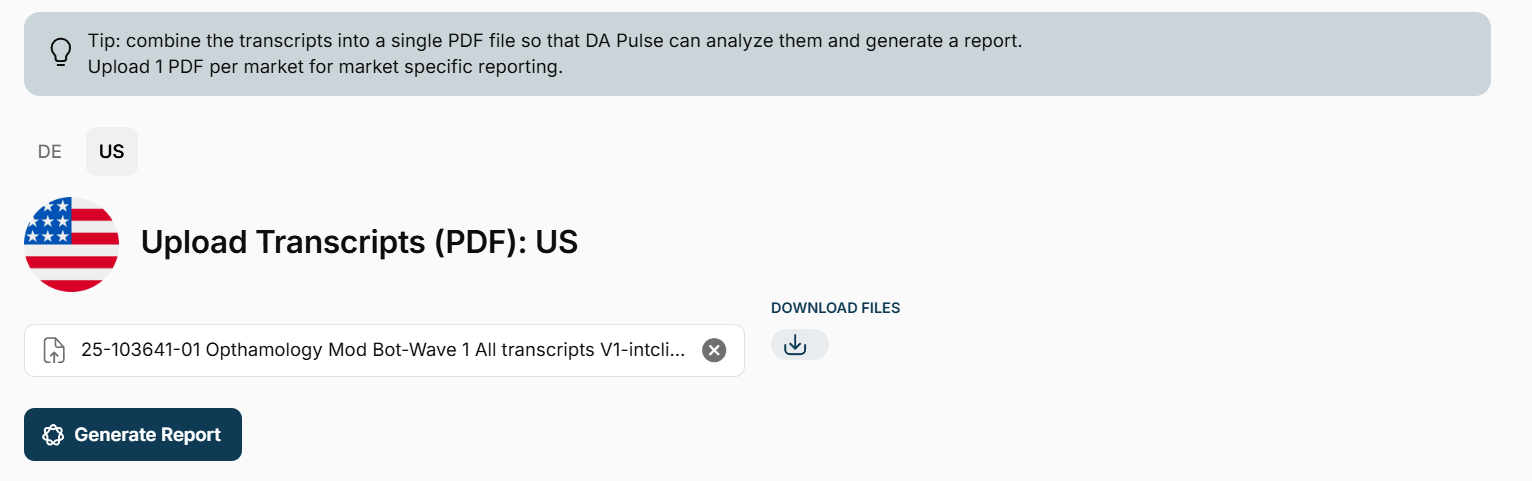
Example (see screenshot attached):

A file originally named:
Discussion Guide V2 Clean.docx
Is displayed as:
Discussion%20Guide%20V2%20Clean.docx
This creates a poor user experience, especially in apps where users need to quickly scan and select documents.
Why this matters:
-
Reduces readability and usability in file lists
-
Looks unpolished in client-facing apps
-
Makes version management harder (users can’t easily distinguish files)
-
Creates unnecessary friction when downloading or referencing files
Suggested improvements:
-
Properly preserve original file names (including spaces and standard characters)
-
Automatically decode URL-encoded characters for display (
%20→ space) -
Option to display a clean label vs. the raw file name
-
(Nice-to-have) Ability to edit or override the display name after upload
Expected behavior:
File names should appear exactly as uploaded, or at least in a clean, human-readable format.
This feels like a relatively small fix but would significantly improve the polish and usability of apps that rely on document handling.
Thanks in advance,
Simon.