I have added DocsAutomator to my app as I am looking to be able to create pdf reports. While testing I discovered i could only do I table at a time. I was looking to make a wrap of data from 3 different tables a user has access to.
Has anyone ever done this if it is feasible? Any turnaround tips otherwise, not to technical if possible?
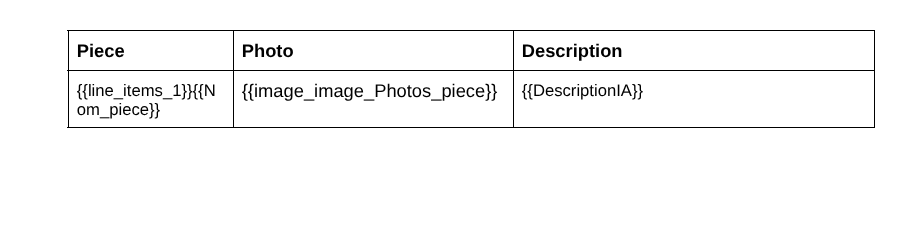
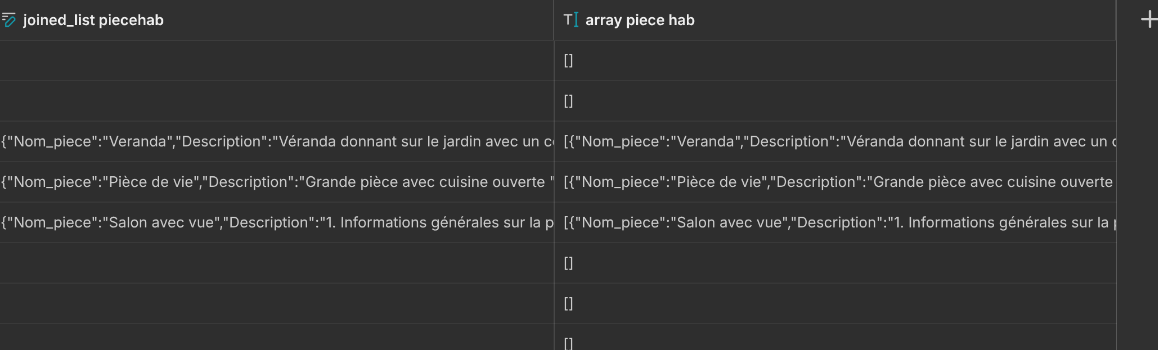
@HouseSnap I assume it’s multiple rows of data from different tables, so you would use DocsAutomator’s “line items” feature (see here in DocsAutomator’s documentation). You could merge data from multiple tables by adding all joined lists in the final array which is passed to DocsAutomator. Please check out the videos and instructions in the knowledge doc for examples.
If you get stuck somewhere, please reply here or feel free to reach out DocsAutomator’s support chat
Hopefully the native integration allows for passing of JSON objects at some point so that no workarounds are needed anymore for line items… I will continue to speak to Andy & the team to hopefully have a DocsAutomator x Glide integration 2.0 at some point!
So I have been testing your solution and thanks it a new discovery for me quite great . However, because of my configuration I believe I don’t get any data. Being limited for now i will not test 10 times In My configuration every user has access to specific data from other tables, which means that their userid or row ownerid is specific in any other tables in which they created data (line items). therefore should i use, rather than {{line_items_1}} something like this {{line_items_rowid (or something similar that id the user) }}? or another way?
Thanks
P.S : I believe we can use array feature (in glide) rather that creating a template “arr”, no?
I am still on free plan for docautho, so only 20 credits
My config is :
user table
house table
room table
each rooms are related to a house which is related to a user.
logged in user can only access data from specific line items in house & room table wich are in relation with the user.
I will rewiew my docautho because i might have missed something and try again. if it doesn’t work can share a loom.
Hello there, so I have reviewed my docauth config and my glide columns and i discoverd I missed to properly set the joinlist column. One data still doesn’t show but it shouldn’t be a bother to find the reason.
I am adding a question on which I am not sur for @Rupert : can we add photo in a line item column?
thanks i did include an {{image_photo}} but it wouldn’t retrive the files or files. But it’s working with a public url, which i believe maybe the limitation, but not sure as I was able to retrieve other images on my doc outside the line_item. or it’s the size.
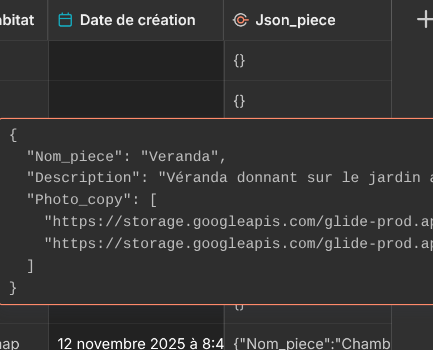
I have added the url of the image in glide to my json. so no need to add the {{line_item_1}} to my image column.
I got 99% of the work done so thank you very much for your help. Just need the image line_item, will have a look and let you know
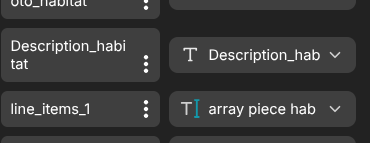
Set up in docauth or in glide? here are some print screen of my json in one table, array in anther table and docauth. image urls are there, and yes they are hosted through glide. don’t worry if some names don’t match i have made changes. my main issue is the image that doesn’t shows up. I am still looking into it.
Ok so i cleaned the name matching and all text works fine (there was issues with capital letter and other little stuff i don’t have yet full automatism on Json writing ) However new issue is that no image are being shown. Maybe I will see this directly with @Rupert this week and will post the results. Thanks again for your help
Ok so I had a chat with @Rupert and while I finally found out I have mistaken in some naming relationship he gave me good tips on other things like do not finish a image name by “_number”.
Solution found thank all for your help


 . However, because of my configuration I believe I don’t get any data. Being limited for now i will not test 10 times
  In My configuration every user has access to specific data from other tables, which means that their userid or row ownerid is specific in any other tables in which they created data (line items). therefore should i use, rather than {{line_items_1}} something like this {{line_items_rowid (or something similar that id the user) }}? or another way?