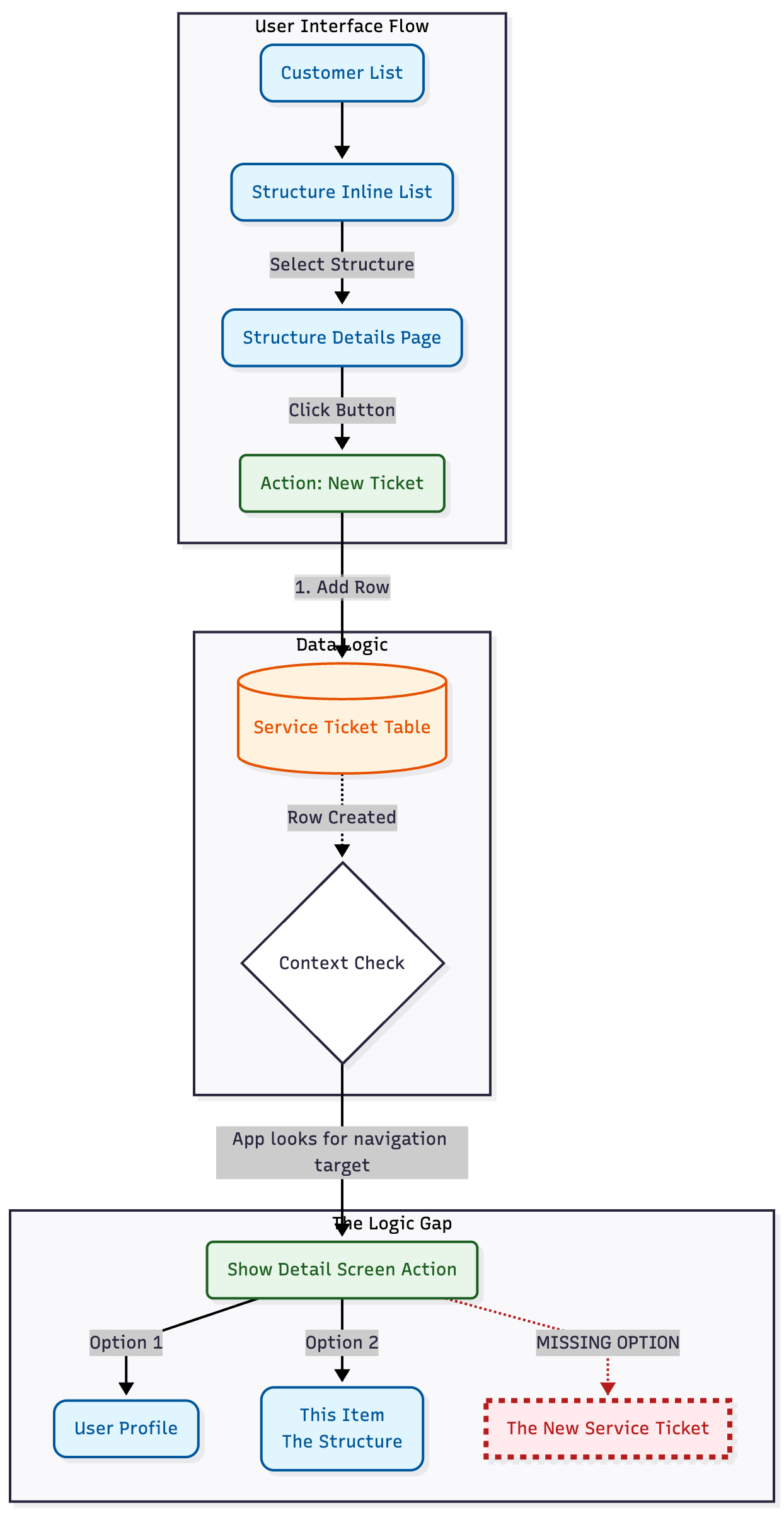
I am new to App Building but picking it up. I own a pest company. I have a customer table then attach structures to customer using an inline list . A customer cal have one or more structures. I select the structure and it goes to a structure DETAILS page. I then want to create a workflow to “add row” to a service ticket table. Then next action in the flow is to open the Service Ticket details page.
The put a action button on the structure details screen (NOT THE INLINE LIST OF STRUCTURES) I choose a structure.
I build a customer workflow like Zapier.
- Start Structure Details
- Action - Add Row in Service Ticket Table
- I map all the column
- Then I add action “Show Detail Page”
The new row is added and populated in the Service Ticket BUT BUT BUT
The show details action I ONLY HAVE TWO OPTION
“This item” and a The User Table. I DO NOT HAVE THE OPTION TO remain on the service ticket row I just created.
HELP in Georgia. Jimmy