Why stringified datetime values still have timezone issues

I have datetime columns.
I stringify them with template columns.
I query those stringified values in a manual trigger and send them in an email.
The times in the email show up 4 hours later than they should.

What am I missing? Do I use a different column type? Template column to stringify has always been reliable…

Your date is most likely being stored in UTC time and converted to EDT when you view it. The server only sees UTC time, and thus the template column is “locking in” at UTC time, and applying a 4 hour difference, but I’m the wrong direction.

To be honest, I think Glide handles dates and times very poorly. It’s definitely a timezone issue because you are -4 hours from UTC time. Glides handling of time is weird in that they can both completely ignore the zulu (UTC) timezone indicator in an ISO date, while also allowing conversion to and from zulu time without explicitly specifying a timezone. It’s hard to understand what they are doing and they have never explained the logic behind it very well, or at all. Their handling of date logic has been flawed from day one in my opinion. I would guess it’s a side affect of them trying to interpret external string based dates as actual dates, which can be difficult when data is coming from a google sheet for example, but in my opinion they could definitely handle it better, especially if they are storing the UTC ISO underneath.

Since you are using a server side workflow, it’s either trying to unnecessarily apply all of this extra timezone conversion logic or just doing it in the wrong direction. Maybe you can get away with applying a timezone offset to your date column to account for that, or maybe you have to double the timezone offset value first. Not sure, but there definitely needs to be some workaround manipulation to get it to work correctly at the moment.

There needs to be a lot more control of that logic from our end instead of them trying to incorrectly figure it out for us.

Well, I completely agree with your assessment. Thanks for weighing in. I will attempt to try to find a work around here.

@Jeff_Hager For what it’s worth, the workaround was not to pull the template column values from the server side query in the workflow but rather to push the template column values as part of the trigger and then use the trigger values.

@Jeff_Hager But it doesn’t help at all if my server side workflow needs to pull JSON data and those template columns are in the JSON. I even tried doing a template of a calculated datetime with timezone offset…didn’t work. Any ideas?

Oye, that’s frustrating. My post in the other thread wasn’t dealing with anything server side, so maybe we need a different approach here.

Let’s talk it out. What I assume is happening is that Glide always converts and stores dates to ISO 8601 as UTC ('Z’ulu) time. I’m making assumptions, but I think the “respect timezone” option for date columns is a bit of smoke and mirrors. If respect timezone is unchecked, the ISO formatted UTC timezone is ignored and the time is interpreted as local time even though it has the ‘Z’ for zulu time. Or it’s maybe possible that Glide hard stores the offset from the user entering the date at the time of entry applies that same offset to the stored UTC time for everyone. By most standards, what is stored would be considered UTC time, but I think Glide tends to either ignore that if timezone is not respected or applies the hard set timezone for everyone. One the flip side, if the respect timezone box is checked, then glide respects the ‘Z’ part of the date and does a timezone conversion of that UTC date to each user’s local time.

So all in all, I believe Glide is always storing dates as UTC time. When you run a server side workflow, it doesn’t know your timezone, so it always interprets the date and time as it’s stored in the database which is UTC, which is 4 hours later than your local time.

Now pretend you live in the UTC timezone and you are the server. The server is doing the same computed column logic that you are doing locally. But, the server has a timezone offset of 0, so it’s going to take that original time that was entered as 1PM EDT and stored as 5PM UTC, and then it applies the offset of zero, which is still 5PM UTC.

I didn’t ask if you are using the ‘respect timezone’ option, and I’m not sure if it would make a difference or have weird results with already stored values.

First I would try changing the respect timezone box to see if that changes anything. If not, the server might be ignore it, so I think the proper approach would be to compute the timezone offset and then store it in a basic column so it persists when it hits the server. You should still be able to use a math column to add that offset (add the stored basic column offset to your date), which will be re-evaluated on the server. The server will still do the math, but it will apply the stored -4 to your UTC stored time instead of applying it’s own offset of 0. That way you should end up with the correct time in your email.

It would be so nice if Glide would actually explain some of their logic so we don’t have to try to figure this out ourselves.

You got it — Server side, even with template columns, Glide is seeing UTC. Based on this, I decided to try the text-to-date computed columns and enter a Timezone. Then take that column and place it in a template column…then use that template column in my JSON object. Seems to work!

The only head-scratcher now is that I have to enter a timezone of “UTC+4” even though I’m UTC-4 … so how do I derrive this string value programmatically?

:100:

Yeah, I think that part goes back to the other thread I shared. I think Text-to-Date is screwed up and somehow double applying the timezone. I think I would avoid that column altogether. I think I would still go with getting your local timezone, store it in a basic column, and then use a math column adjust the time based on the stored offset value.

Ya…I think Glide must have made a recent change that is automatically factoring in tz offset and broke the text-to-date column. I’m going to try using a template column to replace - with UTC+ since I know all my dates are going to be here in the USA. If that proves unreliable, I’ll go with your solution.

Thanks for thinking this through with me! :folded_hands:

You might be right. I don’t recall seeing this double offset issue before.

Glad to help! Have a good night.

Oh my goodness…what was working 12 hours ago, suddenly isn’t working.
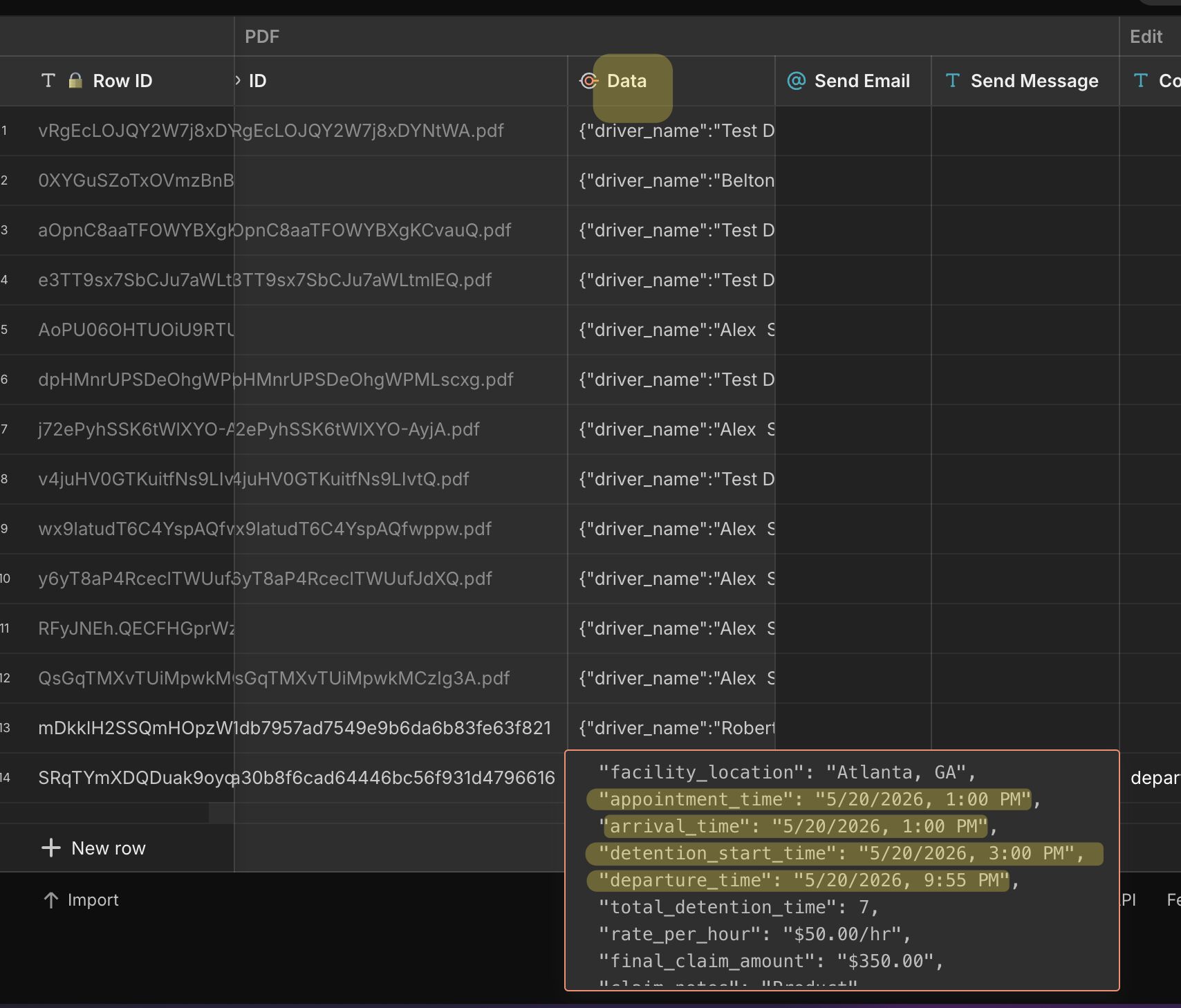
Pulling these values from query now show empty:

Data is there though.

I’m losing my mind.

Is it consistently not working or sporadic? Only thought that comes to mind is maybe server lag since it’s daytime, maybe getting hit harder, and computed columns maybe aren’t computing fast enough. Might need a wait or wait for condition to give it time. I wonder if it would clear up in the evening again.

Ya maybe…I’m just going to go with your hardcoded solution. I hate hardcoding values though…seems so redundant to me.

Or would a webhook be a better flow? Pass your JSON object via webhook. Everything would be calculated client side and passed statically to the server. You wouldn’t need to mess with timezone offset calculations and the server needing to re-evaluate the computed columns.