I have a workflow that sends an email using a date that is stored in Glide.
When the email sends the date is “converted” magically to utc+0 instead of +11 which is my current time zone.
For example, 7:12 am should be 6:12 pm

How do I fix?
Is the respect timezone option checked in the date column?
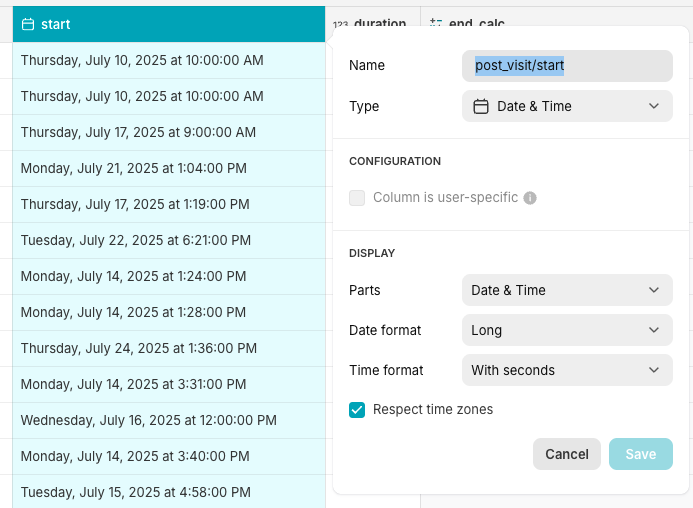
I start with a date (start):
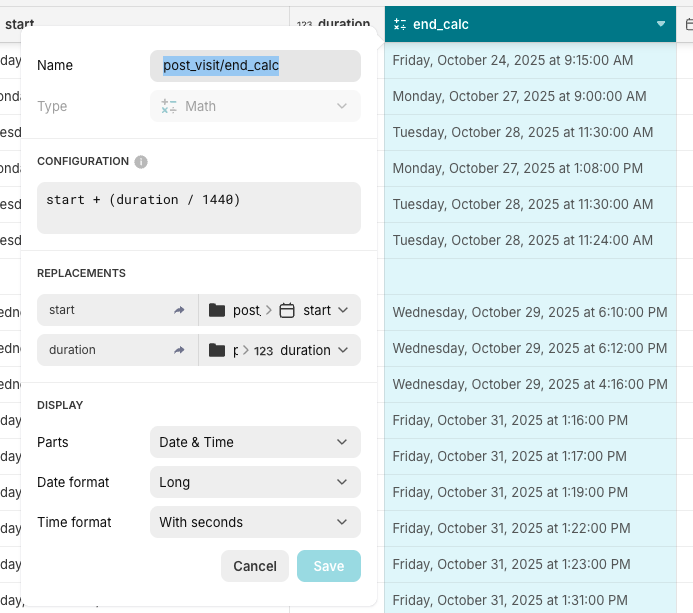
then I do some maths to add a duration and get an end date:
Then finally I use both dates in a template field and that field is the body of my email:
Dates are correct in all Glide cols. When email sends we lose the TZ, I assume from the start col and it’s all down will from there 
You were using Respect Time Zones here, I assume it’s stored as UTC+0 under the hood and it carries to your calculations.
You mention you are using a workflow, so another assumption here is the server looks at things in UTC+0, different from the usual “user” value, where they try to convert to your device’s timezone.
Question: Does it have to be a “respect time zone” setup?
Hi there,
I have the same behavior and so issue on my side.
Having the below config:
from “Lundi 24 Novembre à 9:00” to “Monday, November 24th at 8:00AM”
Any chance this could be easily fixed? I would be surprise this could be an accepted behavior cause this use case seems very basic to me..
I don’t think it can easily be fixed because as you said, it run server side, so it doesn’t have the context of what timezone you want the date/time object to be in. That’s why it defaults to UTC+0.
You might have to have a math step in there to convert the time to your timezone (adding/subtracting the hours required), then use it in your email.
Thanks a lot for the answer, I will try this workaround.. at first I was hesitating cause not sure the server was always at same location so did not want to put a logic layer on this.. but it is worth trying then.