Hi everyone,
I’m facing an issue with conditional color formatting in my Glide table and hoping someone can advise on the correct way to configure it.
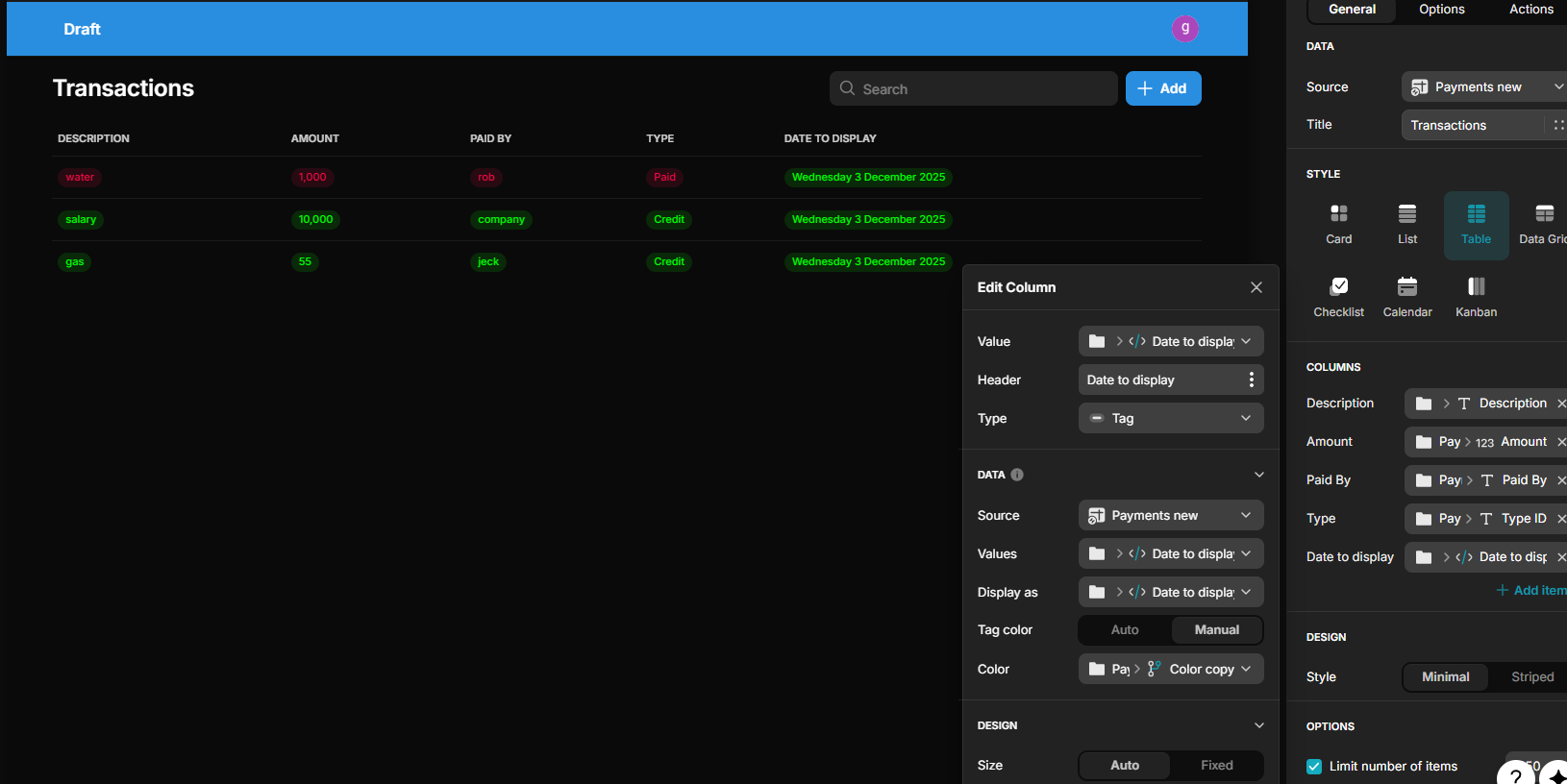
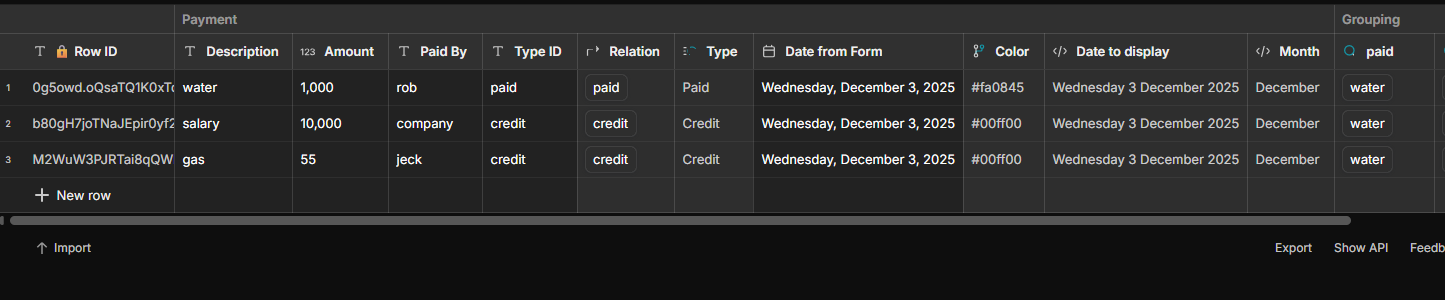
I have a table where one of the columns is displayed as a Tag. In my data, I have another column that contains a color code—red if the payment type is Paid, and green if the payment type is Credit.
This logic works perfectly on all columns except the Date column. The tag formatting applies correctly on text and numeric columns, but when I use the same setup on the Date column, the color does not change.
Has anyone faced this issue before?
Is there a specific way I should configure date columns to allow conditional tag colors?
Or is this a limitation with how Glide handles date columns inside Tags?
Any guidance or best practices would be highly appreciated.
The reason you’re not seeing a different color on the Date column is simply because all the dates shown in your screenshot are the same value, so Glide applies the same tag color.
Tag colors change only when the value changes.
If you test it by adding rows with different dates, you’ll see the tag colors update correctly based on your conditions.
Hello Hassan,
Thank you for your reply.
Could you please help me understand the correct way to configure the Value, Data source, and Values options? In other words, what does each one represent and how do they behave?
In my configuration, I linked the color using an If–Else column, and the conditions were based on the Type value.
Thanks in advance.
Change all the Value/Values options so they point to the Type column in your table, because your if-then-else color logic is based on that column. The display-as column can be anything you want.
Has your issue been resolved with the solution above?