I’m trying to find an option that will show when a user’s last login date and time to your app is. Trying to capture stats on how often users are interacting with the app. Right now I’m not seeing any way to do this. Anyone know of a way?
best way to do this:
have a big table and call it activity log.
all the main clicks users do like submitting a form, editing, clicking on detail screens etc.. make sure all these are workflows that also add a row to your big table.. tag device size, browser info, user email and created on timestamp..
once you capture this you should be able to easily discern when a user’s last interaction with your app was and even with what part of your app
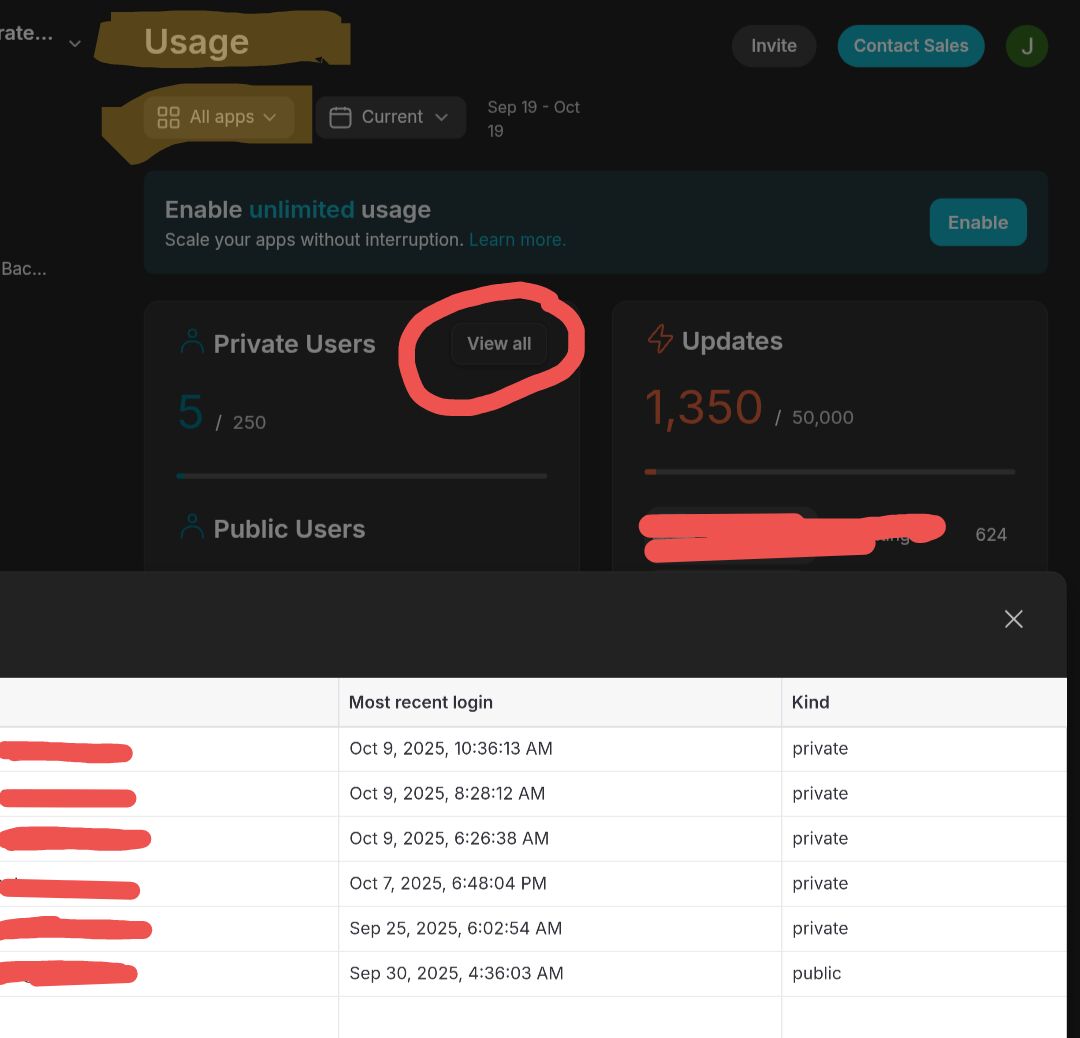
Is that users that are currently logged in? Or just users in your app? If it is just users in the app then the number it’s giving me doesn’t look correct.
Based on your responses before and after you edited your post, I need more clarification on what exactly you are expecting because both responses seem to contradict each other. Which of the following is true?
- Are you looking for a log of when a user actually went through the pin process to sign into your app?
- Are you looking for the last time a user was active in the app while already being signed in?
- Are you looking for users that are currently active as of the present moment?
My users only go through the pin process to sign in maybe a couple of times a year. The rest of the time they stay signed in and periodically go in and out of the app either every day or every few days. They are active when they are signed in and actively using the app. At most maybe one or two users are active at any given moment.
What you see in the list will depend on the filters you set at the top of the screen as far a viewing a specific app or all team apps, or the date range you are looking at.
Hi Jeff, just re-activating this thread based on a couple of questions I have as a follow on:
Background → Business Subscription. I am currently utilsing the usage/user details component in the Admin dashboard to track & record user access. This involves a manual copy and paste of the info from the Adnin Dashboard into a Glide Table. This Glide Table provides a ‘Dashboard’ style view within the App of user access/usage that can be filtered.
Point 1 - I would like to move away from the reliance on the manual processing of the information from the Admin panel back into the App. Is there a way (say via a If-Then-Else column) where the user name and time and date could be captured from their access/interaction within the app… with a view to doing away with the manual processing
Point 2 - Users in my App may only login once or twice a year (via Glide’s email and PIN system) and remain logged into the system throughout that period. In this instance I need to track/record when they are actually in and viewing the App. I believe this can be done via user interaction (button click and so on) but this does NOT include Glide’s Menu Navigation (pages). My app has a number of pages that users simply need to view… this is done via the side Menu Navigation and this could be the only interaction with the app. Given that, how can I track when they have been back into the App?
Think clearest option is a custom component that you put on each screen. Add an action to write a timestamp to the signed-in user’s profile, and tell the component to trigger it every time the page loads. Don’t display anything on the front end for that component.