# Mastering the Mighty Single Value → WHOLE ROW
**URL:** https://community.glideapps.com/t/mastering-the-mighty-single-value-whole-row/57071
**Category:** Community Resources
**Tags:** tutorial
**Created:** [January 24, 2023, 4:02pm UTC](https://community.glideapps.com/t/mastering-the-mighty-single-value-whole-row/57071 "2023-01-24T16:02:13Z")
**Posts on this page:** 20
**Page:** 1
### Author:  [@Robert\_Petitto](https://community.glideapps.com/u/Robert_Petitto)
#### Post date: [January 24, 2023, 4:02pm UTC](https://community.glideapps.com/t/mastering-the-mighty-single-value-whole-row/57071/1 "2023-01-24T16:02:13Z")
### Learn to master the Single Value → WHOLE ROW feature
Use this feature to easily link to the details screen of a:
👉 home screen…
👉 sign up form…
👉 about page…
👉 …and more!
[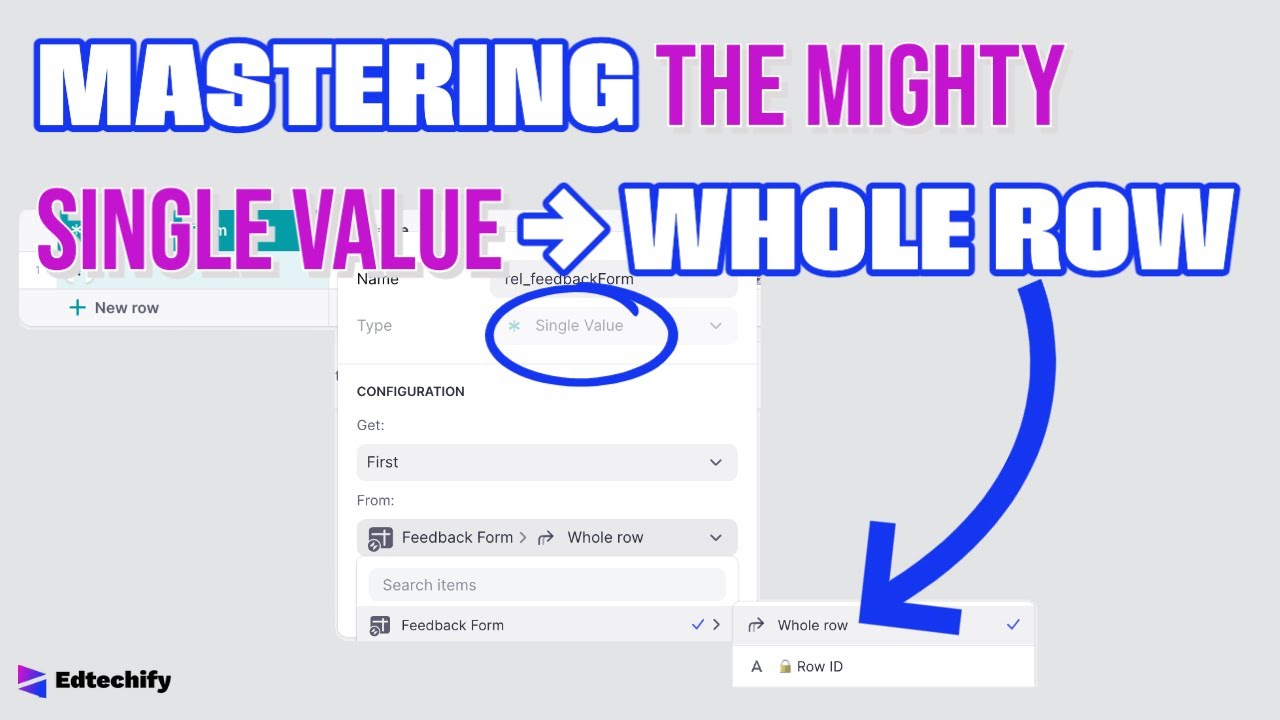 ](https://www.youtube.com/watch?v=Dr1pCuL2Mg0)
Thanks to @Darren_Murphy for one of the ideas presented in this video!
---
### Author:  [@Darren\_Murphy](https://community.glideapps.com/u/Darren_Murphy)
#### Post date: [January 24, 2023, 4:19pm UTC](https://community.glideapps.com/t/mastering-the-mighty-single-value-whole-row/57071/2 "2023-01-24T16:19:17Z")
Never occurred to me to add those sv-\>whole row columns to the User Profile table, but it’s so obvious when you say it. I’ve been in the habit of adding one to every table where I need to use it. Time to change habits 🙂
---
### Author:  [@nathanaelb](https://community.glideapps.com/u/nathanaelb)
#### Post date: [January 24, 2023, 4:49pm UTC](https://community.glideapps.com/t/mastering-the-mighty-single-value-whole-row/57071/3 "2023-01-24T16:49:33Z")
Very nice Bob. Instructional, clear, and eye-opening as always.
---
### Author:  [@Robert\_Petitto](https://community.glideapps.com/u/Robert_Petitto)
#### Post date: [January 24, 2023, 5:08pm UTC](https://community.glideapps.com/t/mastering-the-mighty-single-value-whole-row/57071/4 "2023-01-24T17:08:15Z")
> [@Darren\_Murphy](#):
>
> Never occurred to me to add those sv-\>whole row columns to the User Profile table
Collaboration!
---
### Author:  [@Jeff\_Hager](https://community.glideapps.com/u/Jeff_Hager)
#### Post date: [January 24, 2023, 5:11pm UTC](https://community.glideapps.com/t/mastering-the-mighty-single-value-whole-row/57071/5 "2023-01-24T17:11:37Z")
> [@Darren\_Murphy](#):
>
> I’ve been in the habit of adding one to every table where I need to use it.
Likewise. 🤦♂️ Didn’t cross my mind to use the user table.
I’m already in the single row table (tab source table) when I trigger Add mode in my custom form. I only needed a single value → Whole Row when I open the custom form in Edit mode. So I guess I didn’t waste too much time. 😜 But good to know if I need to call the form from more places.
---
### Author:  [@David\_Gabler](https://community.glideapps.com/u/David_Gabler)
#### Post date: [January 24, 2023, 6:45pm UTC](https://community.glideapps.com/t/mastering-the-mighty-single-value-whole-row/57071/6 "2023-01-24T18:45:57Z")
Great video, as always.
I do have a single record “control file” which contains various information used elsewhere.
As always, I seem to push the limits of Glide. I tried “whole row”, but unfortunately, the new field does not appear everywhere i’d used the individual fields. In a custom action, I cannot set the column value using that field. It doesn’t show up.
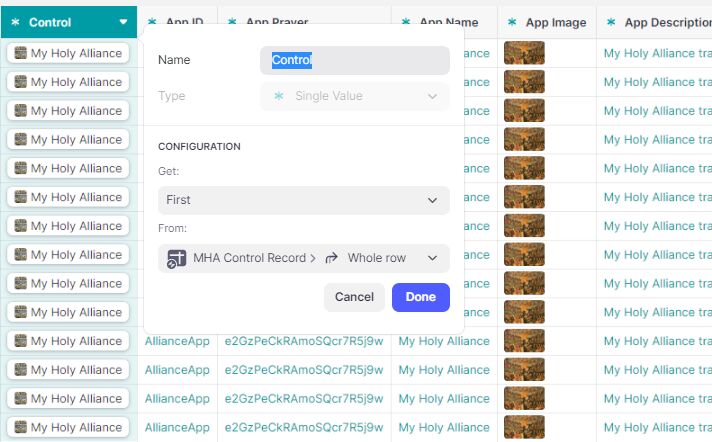
I cannot set “\*control → App Price” for example:

That new field is not in the list:

Hmm, strange I also don’t see it when setting properties on an image component (the image or any of its properties).

---
### Author:  [@Robert\_Petitto](https://community.glideapps.com/u/Robert_Petitto)
#### Post date: [January 24, 2023, 7:01pm UTC](https://community.glideapps.com/t/mastering-the-mighty-single-value-whole-row/57071/7 "2023-01-24T19:01:04Z")
As long as the source sheet for the screen is the one that has the single value, it should work. Again, life will be easier if the single value → whole row is in the user’s table:

---
### Author:  [@David\_Gabler](https://community.glideapps.com/u/David_Gabler)
#### Post date: [January 24, 2023, 7:19pm UTC](https://community.glideapps.com/t/mastering-the-mighty-single-value-whole-row/57071/8 "2023-01-24T19:19:42Z")
Yes to both. The value is in the Users table and the source for the screen is in the users table.


On the Add Row action, I can choose other values from the User table, but \*Control does not appear in the list.

---
### Author:  [@Darren\_Murphy](https://community.glideapps.com/u/Darren_Murphy)
#### Post date: [January 24, 2023, 7:26pm UTC](https://community.glideapps.com/t/mastering-the-mighty-single-value-whole-row/57071/9 "2023-01-24T19:26:30Z")
Looks like Control is referencing a whole row. If you want to use a column from that row in an action, you’d need a lookup on top of it to fetch the column value. Bob mentions that in his video.
---
### Author:  [@Robert\_Petitto](https://community.glideapps.com/u/Robert_Petitto)
#### Post date: [January 24, 2023, 8:04pm UTC](https://community.glideapps.com/t/mastering-the-mighty-single-value-whole-row/57071/10 "2023-01-24T20:04:00Z")
Right… whole row = relation. If ever Glide allows us to have inline lookups (vote here: [Select values from relations just like "User \>" (Inline Lookups)](https://community.glideapps.com/t/select-values-from-relations-just-like-user-inline-lookups/26092)), then what you’re describing would be possible, theoretically.
---
### Author:  [@David\_Gabler](https://community.glideapps.com/u/David_Gabler)
#### Post date: [January 24, 2023, 8:48pm UTC](https://community.glideapps.com/t/mastering-the-mighty-single-value-whole-row/57071/11 "2023-01-24T20:48:58Z")
Hi Darren,
I think what Bob just said about selecting values from relations is the issue – because in my “add row” action, I don’t even see it as a relation, and it does not show up when I select “User Profile”:

---
### Author:  [@Darren\_Murphy](https://community.glideapps.com/u/Darren_Murphy)
#### Post date: [January 25, 2023, 1:17am UTC](https://community.glideapps.com/t/mastering-the-mighty-single-value-whole-row/57071/12 "2023-01-25T01:17:15Z")
Yes, Bob said the same thing as me - using different words 🙂
You’re looking for functionality that doesn’t exist. (We all wish it did).
---
### Author:  [@erwblo](https://community.glideapps.com/u/erwblo)
#### Post date: [January 25, 2023, 1:33pm UTC](https://community.glideapps.com/t/mastering-the-mighty-single-value-whole-row/57071/13 "2023-01-25T13:33:32Z")
Seeiing is believing! Now I understand it better than ever! Thanks @Robert_Petitto !
---
### Author:  [@Robert\_Petitto](https://community.glideapps.com/u/Robert_Petitto)
#### Post date: [January 26, 2023, 1:46am UTC](https://community.glideapps.com/t/mastering-the-mighty-single-value-whole-row/57071/14 "2023-01-26T01:46:42Z")
Glad it helped!
---
### Author:  [@james](https://community.glideapps.com/u/james)
#### Post date: [January 26, 2023, 10:49pm UTC](https://community.glideapps.com/t/mastering-the-mighty-single-value-whole-row/57071/15 "2023-01-26T22:49:54Z")
Love it but just find myself avoiding custom forms wherever possible because of update fear 😢
In the contact us example, how many updates would that use?
---
### Author:  [@Robert\_Petitto](https://community.glideapps.com/u/Robert_Petitto)
#### Post date: [January 26, 2023, 10:55pm UTC](https://community.glideapps.com/t/mastering-the-mighty-single-value-whole-row/57071/16 "2023-01-26T22:55:53Z")
> [@james](#):
>
> avoiding custom forms wherever possible because of update fear
I do the same. This is just one use case. To answer your questions, I guess it would depend on how many fields they needed to fill out.
---
### Author:  [@Jeff\_Hager](https://community.glideapps.com/u/Jeff_Hager)
#### Post date: [January 27, 2023, 12:01am UTC](https://community.glideapps.com/t/mastering-the-mighty-single-value-whole-row/57071/17 "2023-01-27T00:01:16Z")
Just to chime in. I use a custom form because I have a particular use case.
1. With one of my choice components, I need to write both the visible description of the choice, as well and the underlying number. So in my example below, I need to save both the Lesson Length Name as well as the rate that’s associated with that Lesson Length. For me lesson rates can change in the future, so to avoid affecting older lessons when rates change, I can’t use relations to pull in a rate based on length.
2. I use that underlying number as part of a live calculation. This is so the user can verify in real time if everything is correct before clicking on submit. Each user can have different rates, and rates can differ per user, so everything needs to be dynamic.

In some cases, I also allow the user to enter a custom rate.

So in my case, a custom form is the only viable option, since I can’t achieve the same functionality with a native form. It also allows for some more robust validation before allowing the user to submit a form.
Fortunately for me, this app has about 1.5 users, so going over usage limits is not a big concern, but I understand where it can be something to consider. There are use cases for custom forms, but if they can be avoided, I do agree that a native form is the way to go.
---
### Author:  [@Giorgos](https://community.glideapps.com/u/Giorgos)
#### Post date: [October 19, 2024, 11:35am UTC](https://community.glideapps.com/t/mastering-the-mighty-single-value-whole-row/57071/18 "2024-10-19T11:35:21Z")
Not sure if it’s mentioned somewhere and sorry if its something obvious, I’m really new here. It took me quite some time to understand why this wouldn’t work for me and here is my observations.
I have Table A and Table B, in Table A I use a Single Value column to get the whole first row of Table B. When setting up a custom action for Table A I was able to set custom values for Table B through the Single Value column ONLY when Table B had at least one not-user specific column.
I originally had only a row-id and some user specific columns and when I would select Table B’s whole first row through the single value column of Table A it would very briefly show the value fields of Table A and then quickly change to “this item” values. Just by adding a not-user specific column to Table B it worked as I was expecting.
---
### Author:  [@ThinhDinh](https://community.glideapps.com/u/ThinhDinh)
#### Post date: [October 19, 2024, 12:59pm UTC](https://community.glideapps.com/t/mastering-the-mighty-single-value-whole-row/57071/19 "2024-10-19T12:59:04Z")
That does sound like a bug to me, but I have setup a lot of helper tables that way and I don’t think I ever had to add a basic column for it to work. Maybe a recent bug?
---
### Author:  [@Robert\_Petitto](https://community.glideapps.com/u/Robert_Petitto)
#### Post date: [October 19, 2024, 6:58pm UTC](https://community.glideapps.com/t/mastering-the-mighty-single-value-whole-row/57071/20 "2024-10-19T18:58:50Z")
That’s possible. This is why I add a row ID column to every table i create.