# Is there a way to limit the hours displayed on calendar's layout?
**URL:** https://community.glideapps.com/t/is-there-a-way-to-limit-the-hours-displayed-on-calendars-layout/84115
**Category:** Ask for Help
**Created:** [August 31, 2025, 11:17am UTC](https://community.glideapps.com/t/is-there-a-way-to-limit-the-hours-displayed-on-calendars-layout/84115 "2025-08-31T11:17:36Z")
**Posts on this page:** 2
**Page:** 1
### Author:  [@Colorasis\_Inc](https://community.glideapps.com/u/Colorasis_Inc)
#### Post date: [August 31, 2025, 11:17am UTC](https://community.glideapps.com/t/is-there-a-way-to-limit-the-hours-displayed-on-calendars-layout/84115/1 "2025-08-31T11:17:36Z")
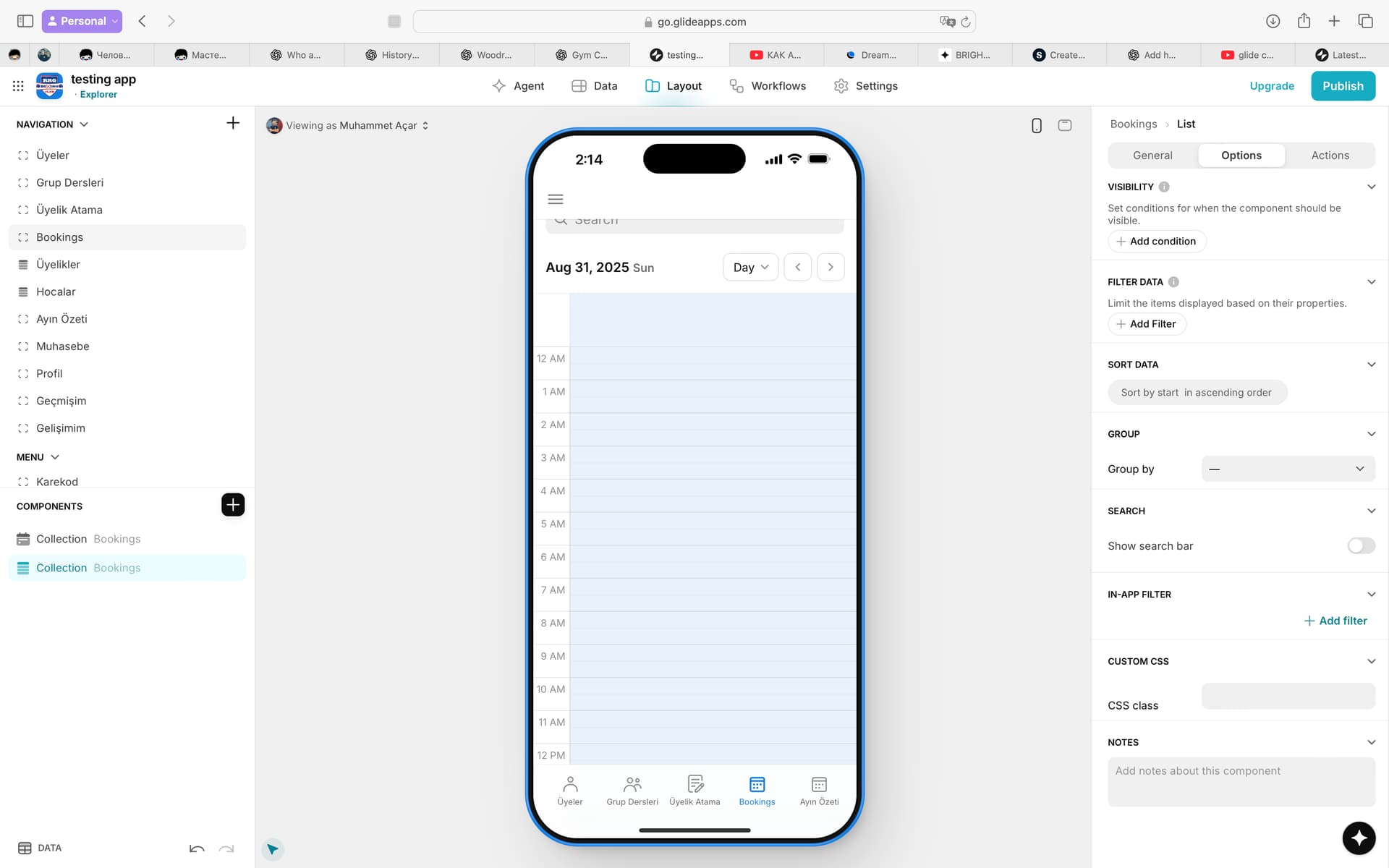
Is there a way to configure the Calendar component so that it only shows specific working hours of the day? In my case, the app is for a gym, and sessions only happen between certain hours (e.g. 08:00–23:00). Right now, the Calendar displays the full 24 hours, which means the night-time (00:00–07:00) takes up unnecessary space. Users have to scroll down every time to see the actual hours where bookings are available. Is there a way to hide or limit the display to just the relevant hours?
---
### Author:  [@ThinhDinh](https://community.glideapps.com/u/ThinhDinh)
#### Post date: [September 1, 2025, 12:09am UTC](https://community.glideapps.com/t/is-there-a-way-to-limit-the-hours-displayed-on-calendars-layout/84115/2 "2025-09-01T00:09:14Z")
Please check this implementation with CSS.
> [@Customize time slots in the calendar component](https://community.glideapps.com/t/customize-time-slots-in-the-calendar-component/73302/4):
>
> This HTML structure has events outside the time container, where the height position is calculated by JavaScript and will vary depending on the number of events. The maximum achievement that can be achieved is to maintain the existing space through visibility: hidden. Using display: none will change the calculation of the event’s position. .task-Calendar .rbc-time-gutter.rbc-time-column \> div:nth-child(-n+8), .task-Calendar .rbc-day-slot.rbc-time-column \> div:nth-child(-n+8){ visibility: hidde…