# Interval training assistant app - with great help from community posts!
**URL:** https://community.glideapps.com/t/interval-training-assistant-app-with-great-help-from-community-posts/59574
**Category:** Project Showcase
**Created:** [March 23, 2023, 1:29pm UTC](https://community.glideapps.com/t/interval-training-assistant-app-with-great-help-from-community-posts/59574 "2023-03-23T13:29:44Z")
**Posts on this page:** 2
**Page:** 1
### Author:  [@charlietmail](https://community.glideapps.com/u/charlietmail)
#### Post date: [March 23, 2023, 1:29pm UTC](https://community.glideapps.com/t/interval-training-assistant-app-with-great-help-from-community-posts/59574/1 "2023-03-23T13:29:44Z")
I do interval training and had a spreadsheet to calculate timings for exercise reps, sets and rests. A friend told me about Glide so I had a go and made my first app.
Sharing here in part to say thanks to community members whose old posts were great inspiration and guidance.
> **[HIIT Training Assistant](https://hiit-training-assistant.glideapp.io/)**
Thanks to all the below, and to Glide for making a genius product and @JackVaughan for brilliant videos.
Using QuickChart to display historical training data (inspired by @Robert_Petitto):

Using QuickChart to put charts into the image field of a list for added insight into the item:

Using this tip from @Darren_Murphy:
> [@heart\_eyes Quickchart.io: the Cloudinary of Charts —on the fly charts!](https://community.glideapps.com/t/quickchart-io-the-cloudinary-of-charts-on-the-fly-charts/15946/125):
>
> So here is the one I did using the Construct URL column… Started off with a URL that looked like: https://quickchart.io/chart?bkg=white&c={.........} There are two query parameters in that URL: bkg=white c={ JSON structure } So I took the whole JSON structure, and put that in a template column: Then defined the Construct URL column as follows: The first query parameter was simple, so I “hard-coded” that, …
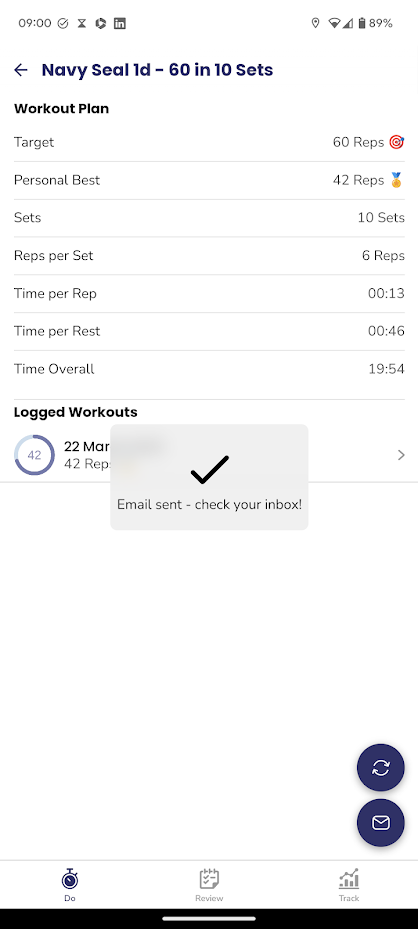
Using Make to export workout data for use in another (Tabata Timer) app:
This post from @ThinhDinh was also genius in simplifying a particular UI flow:
> [@Create a new row and use its data to open a new page](https://community.glideapps.com/t/create-a-new-row-and-use-its-data-to-open-a-new-page/59474/6):
>
> I’m not entirely sure, but it might work: Set column to set a unique ID in a column of the screen you’re building the form in (you can do this on entry to that screen). Wait for condition \> Make sure the unique ID column is not empty. Add row \> Add the unique ID column to a row in the destination table. Create a relation on the source table (same as the 1st step), create a relation from the unique ID column in there to the unique ID column in the destination table. Wait for condit…
As was this on custom forms from @Darren_Murphy:
> [@How do I create a custom form?](https://community.glideapps.com/t/how-do-i-create-a-custom-form/25014):
>
> I’m just dropping this here so I have something to refer people to when they ask. This is a simple concept app (copyable), that demonstrates the following techniques: Building custom forms for adding and editing list items (as an alternative to the native forms provided by Glide) Preventing duplicate new entries using [User Specific Columns](https://docs.glideapps.com/all/reference/data-editor/user-specific-columns) and [Relations](https://docs.glideapps.com/all/reference/data-editor/computed-columns/relation-column) Enforcing mandatory input items The use of visibility conditions and user specific booleans to control user flow There is nothing particula…
And this on navigation from @Robert_Petitto:
[ ](https://www.youtube.com/watch?v=0xU8Z0XGaLk)
---
### Author:  [@ThinhDinh](https://community.glideapps.com/u/ThinhDinh)
#### Post date: [March 24, 2023, 1:00am UTC](https://community.glideapps.com/t/interval-training-assistant-app-with-great-help-from-community-posts/59574/2 "2023-03-24T01:00:52Z")
Great to see the final product! Thanks for sharing.