# How to make component changes only in one card, not the whole tab?
**URL:** https://community.glideapps.com/t/how-to-make-component-changes-only-in-one-card-not-the-whole-tab/33819
**Category:** Ask for Help
**Created:** [November 1, 2021, 1:35am UTC](https://community.glideapps.com/t/how-to-make-component-changes-only-in-one-card-not-the-whole-tab/33819 "2021-11-01T01:35:44Z")
**Posts on this page:** 15
**Page:** 1
### Author:  [@HuyPavel](https://community.glideapps.com/u/HuyPavel)
#### Post date: [November 1, 2021, 1:35am UTC](https://community.glideapps.com/t/how-to-make-component-changes-only-in-one-card-not-the-whole-tab/33819/1 "2021-11-01T01:35:44Z")
Hi everyone, I am building an App. In this App, I want to make change only in one card, and these change won’t affect other cards in tab. However, I tried various ways to solve this, still I got the same result that every time I make changes, other cards will also change accordingly.
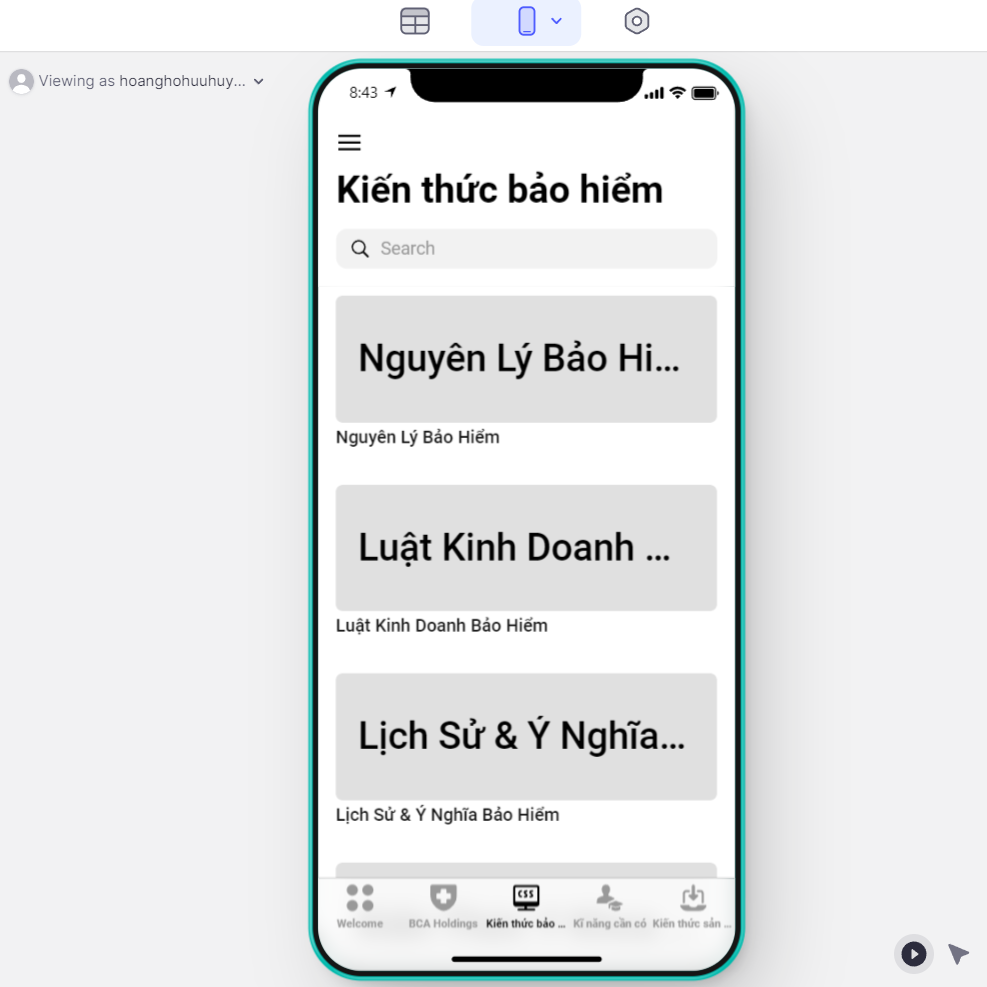
For example, in the first card “Nguyên lý bảo hiểm”, if I make any change here, it will also apply to Luật Kinh Doanh, Lịch sử & Ý nghĩa, etc. But I want to change components in the first card “Nguyên Lý Bảo Hiểm” solely.
**Further explaination:**
They are all the same in every card:
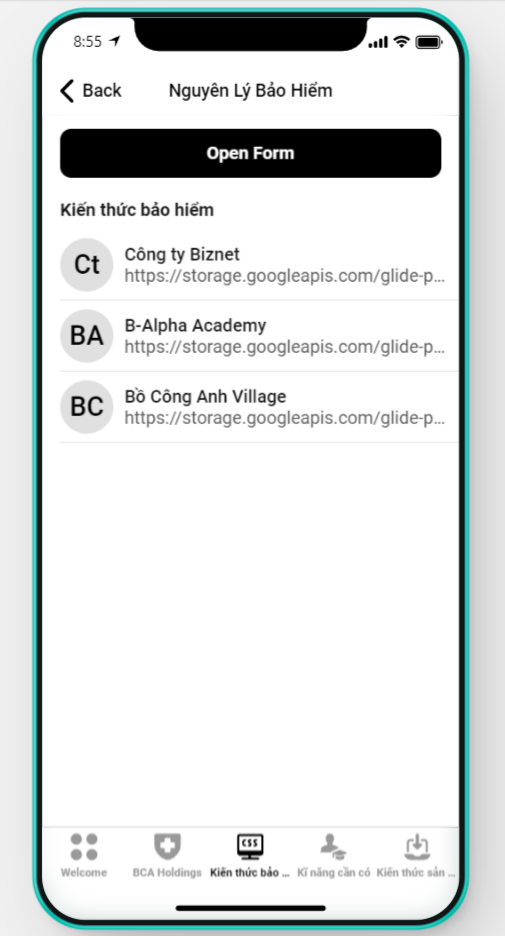
This card is Nguyên Lý Bảo Hiểm - the one I want to add and modify components
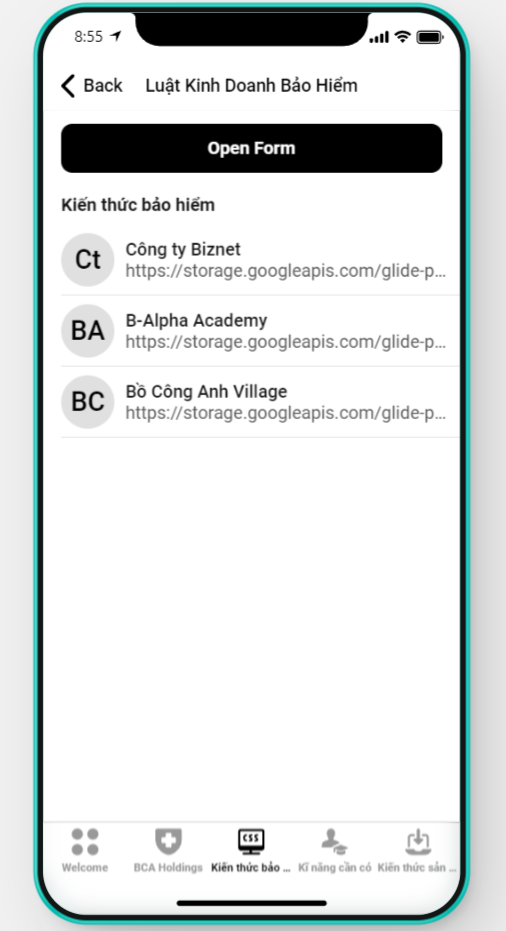
But I don’t want the change also apply in this card Luật kinh doanh bảo hiểm
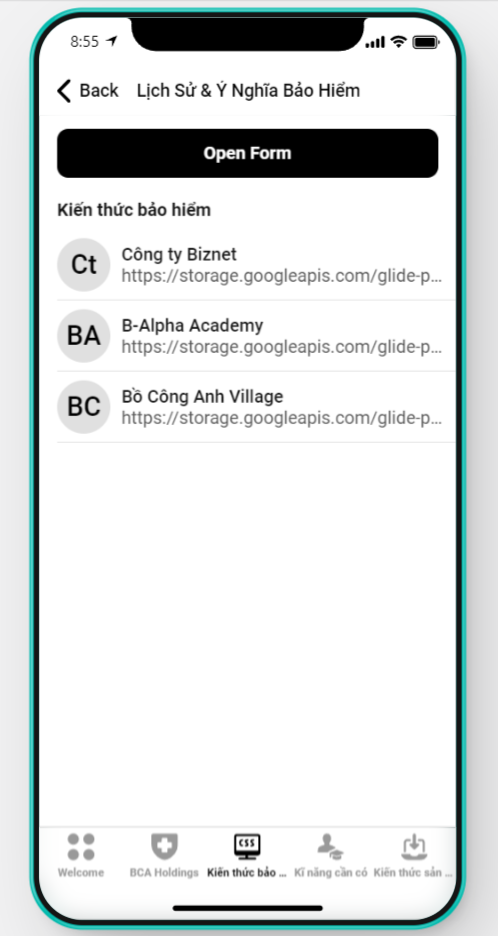
Either in this card
How can I solve this problem? Thank you!
I only have few days left to solve this issue. Please help me!
---
### Author:  [@Dilon\_Perera](https://community.glideapps.com/u/Dilon_Perera)
#### Post date: [November 1, 2021, 1:47am UTC](https://community.glideapps.com/t/how-to-make-component-changes-only-in-one-card-not-the-whole-tab/33819/2 "2021-11-01T01:47:58Z")
Hi @HuyPavel 👋
Welcome to the Community 🥳
So when you click the card it will open the Edit screen right?
---
### Author:  [@HuyPavel](https://community.glideapps.com/u/HuyPavel)
#### Post date: [November 1, 2021, 1:48am UTC](https://community.glideapps.com/t/how-to-make-component-changes-only-in-one-card-not-the-whole-tab/33819/3 "2021-11-01T01:48:37Z")
yes, that’s right
---
### Author:  [@Dilon\_Perera](https://community.glideapps.com/u/Dilon_Perera)
#### Post date: [November 1, 2021, 1:49am UTC](https://community.glideapps.com/t/how-to-make-component-changes-only-in-one-card-not-the-whole-tab/33819/4 "2021-11-01T01:49:59Z")
If you have set like this then it will change for that item (Card) only.
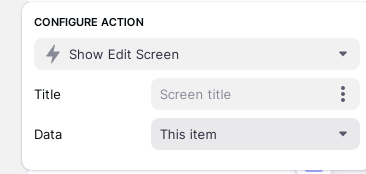
I think I have understand correctly 😐
---
### Author:  [@HuyPavel](https://community.glideapps.com/u/HuyPavel)
#### Post date: [November 1, 2021, 1:57am UTC](https://community.glideapps.com/t/how-to-make-component-changes-only-in-one-card-not-the-whole-tab/33819/6 "2021-11-01T01:57:31Z")
They are all the same in every card:
This card is Nguyên Lý Bảo Hiểm - the one I want to add and modify components

But I don’t want the change also apply in this card Luật kinh doanh bảo hiểm

Either in this card

---
### Author:  [@Jeff\_Hager](https://community.glideapps.com/u/Jeff_Hager)
#### Post date: [November 1, 2021, 1:58am UTC](https://community.glideapps.com/t/how-to-make-component-changes-only-in-one-card-not-the-whole-tab/33819/7 "2021-11-01T01:58:51Z")
I just want to be clear. First of all, are you trying to change how each card looks, or are you trying to change how the details screen looks after you click on each card?
If you are trying to change the cards themselves, then I think if would be better if you created separate inline lists, each filtered to only show the one list item you want.
BUT, I think your actual problem is that you want to have different details screens whenever you click on each list item. If that is the case, then that is really easy. All you need to do is select the “Independent Screen Configuration” option in the list settings.
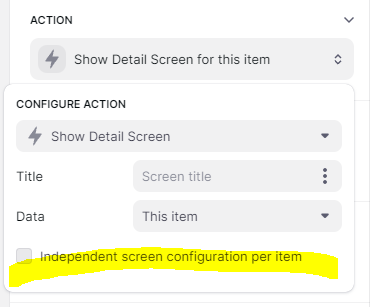
In either case, it’s not the actual EDIT screen that you are trying to change, correct? Just the cards themselves or the Details screen?
---
### Author:  [@Darren\_Murphy](https://community.glideapps.com/u/Darren_Murphy)
#### Post date: [November 1, 2021, 2:08am UTC](https://community.glideapps.com/t/how-to-make-component-changes-only-in-one-card-not-the-whole-tab/33819/8 "2021-11-01T02:08:52Z")
Another way to do this is to use a custom action with a separate logic branch for each item in the list. The effect is more or less the same, but it provides the opportunity to take extra steps. Useful when using short lists for building dashboard type screens - which appears to be the case here.
---
### Author:  [@HuyPavel](https://community.glideapps.com/u/HuyPavel)
#### Post date: [November 1, 2021, 2:10am UTC](https://community.glideapps.com/t/how-to-make-component-changes-only-in-one-card-not-the-whole-tab/33819/9 "2021-11-01T02:10:39Z")
I want to have different details screens whenever I click on each list item, but I solved this issue by adding the inline list.
My real problem is the change in component in one screen only, and I want these change do not apply to other screen
---
### Author:  [@Darren\_Murphy](https://community.glideapps.com/u/Darren_Murphy)
#### Post date: [November 1, 2021, 2:24am UTC](https://community.glideapps.com/t/how-to-make-component-changes-only-in-one-card-not-the-whole-tab/33819/10 "2021-11-01T02:24:21Z")
> [@HuyPavel](#):
>
> My real problem is the change in component in one screen only, and I want these change do not apply to other screen
⬇
> [@Jeff\_Hager](#):
>
> BUT, I think your actual problem is that you want to have different details screens whenever you click on each list item. If that is the case, then that is really easy. All you need to do is select the “Independent Screen Configuration” option in the list settings.
---
### Author:  [@Jeff\_Hager](https://community.glideapps.com/u/Jeff_Hager)
#### Post date: [November 1, 2021, 2:42am UTC](https://community.glideapps.com/t/how-to-make-component-changes-only-in-one-card-not-the-whole-tab/33819/11 "2021-11-01T02:42:35Z")
Yep, as @Darren_Murphy pointed out, I already gave you the solution to configure each screen independently if you read my whole response.
---
### Author:  [@HuyPavel](https://community.glideapps.com/u/HuyPavel)
#### Post date: [November 1, 2021, 4:14am UTC](https://community.glideapps.com/t/how-to-make-component-changes-only-in-one-card-not-the-whole-tab/33819/12 "2021-11-01T04:14:14Z")
Thank you a lot! Thanks for you advice, I already fix my problem. Thank you!!!
---
### Author:  [@ThinhDinh](https://community.glideapps.com/u/ThinhDinh)
#### Post date: [November 1, 2021, 4:52am UTC](https://community.glideapps.com/t/how-to-make-component-changes-only-in-one-card-not-the-whole-tab/33819/13 "2021-11-01T04:52:54Z")
Just to be clear, if you ever want to scale that list (adding another item) you have to configure a new details screen for it. I think it’s worth considering that before building your flow.
And welcome another fellow Vietnamese to the community!
---
### Author:  [@HuyPavel](https://community.glideapps.com/u/HuyPavel)
#### Post date: [November 1, 2021, 6:14am UTC](https://community.glideapps.com/t/how-to-make-component-changes-only-in-one-card-not-the-whole-tab/33819/14 "2021-11-01T06:14:28Z")
Thanks for your recommendation.
Glad to find a Vietnamese friend here 😃
---
### Author:  [@furkan\_kocak](https://community.glideapps.com/u/furkan_kocak)
#### Post date: [February 2, 2024, 12:34pm UTC](https://community.glideapps.com/t/how-to-make-component-changes-only-in-one-card-not-the-whole-tab/33819/15 "2024-02-02T12:34:55Z")
in wich tab do you find the configure action i cant find it
---
### Author:  [@ThinhDinh](https://community.glideapps.com/u/ThinhDinh)
#### Post date: [February 3, 2024, 12:24am UTC](https://community.glideapps.com/t/how-to-make-component-changes-only-in-one-card-not-the-whole-tab/33819/16 "2024-02-03T00:24:16Z")
This thread is pretty old. Are you using Classic or New Apps?