# How to configure the SHOP?
**URL:** https://community.glideapps.com/t/how-to-configure-the-shop/13591
**Category:** Ask for Help
**Created:** [August 5, 2020, 10:02am UTC](https://community.glideapps.com/t/how-to-configure-the-shop/13591 "2020-08-05T10:02:50Z")
**Posts on this page:** 5
**Page:** 1
### Author:  [@Raph](https://community.glideapps.com/u/Raph)
#### Post date: [August 5, 2020, 10:02am UTC](https://community.glideapps.com/t/how-to-configure-the-shop/13591/1 "2020-08-05T10:02:50Z")
Hello - I’ve watched the [video](https://docs.glideapps.com/all/reference/components/buttons/buy) made by Glide but it does not explain how to map all your goods (sku) for sale.
Basically I sell two t-shirts, each coming in 5 sizes, meaning 10 SKU
But when building the shop, only the first ROW (1 sku only) shows up… How to build it?
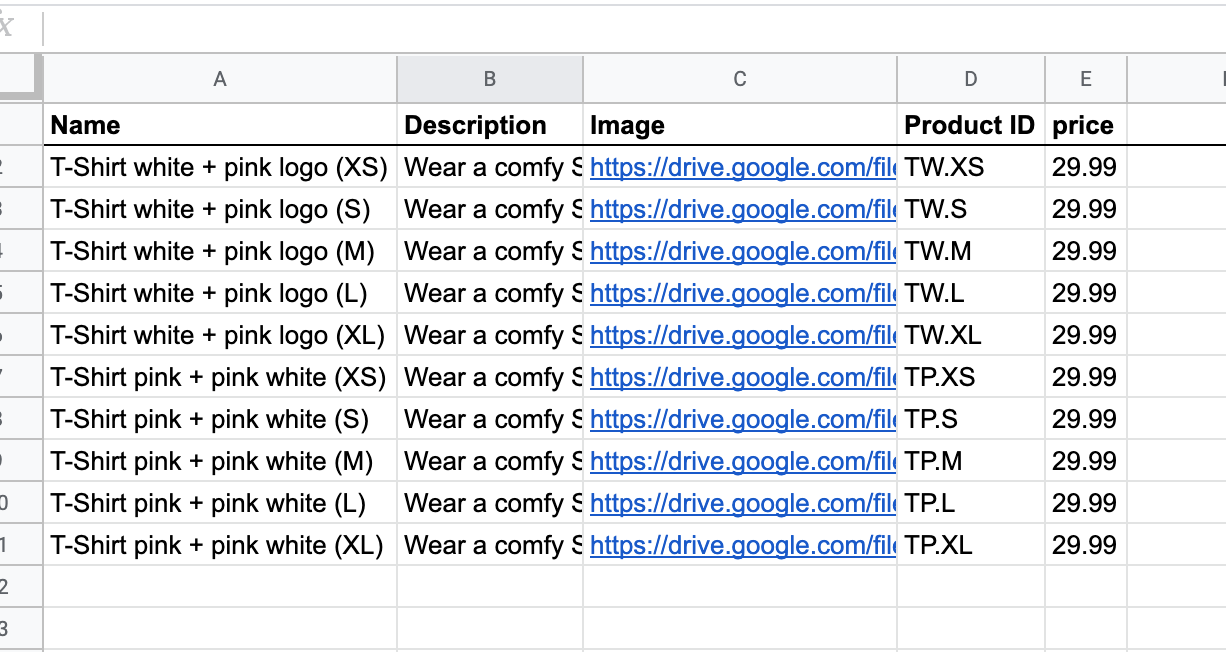 
Thank you, Raph
---
### Author:  [@sardamit](https://community.glideapps.com/u/sardamit)
#### Post date: [August 5, 2020, 10:14am UTC](https://community.glideapps.com/t/how-to-configure-the-shop/13591/2 "2020-08-05T10:14:20Z")
Raph!
You may have accidentally selected Detail view.
Please check you are using one of the list views.
It should look something like this: [https://www.glideapps.com/templates/JHjNfrru33ln7n2PSUrl-template](https://www.glideapps.com/templates/JHjNfrru33ln7n2PSUrl-template)
---
### Author:  [@Raph](https://community.glideapps.com/u/Raph)
#### Post date: [August 5, 2020, 11:05am UTC](https://community.glideapps.com/t/how-to-configure-the-shop/13591/3 "2020-08-05T11:05:47Z")
Thank you @sardamit
Almost there.
As I sell only 2 products (white tshit and pink tshirt), I’d like to first display only to pictures, one for the white tshirt and one for the pink tshit
And then when clicking on any of the two, it leads to a screen where I can select one of the 5 sizes each tshirt comes in
At the moment I’ve made GROUP by “Color” but it quite does not come as I’d like it to.
Thank you!

---
### Author:  [@sardamit](https://community.glideapps.com/u/sardamit)
#### Post date: [August 5, 2020, 12:11pm UTC](https://community.glideapps.com/t/how-to-configure-the-shop/13591/4 "2020-08-05T12:11:55Z")
Create a separate tab for colors: White and Pink.
Create a relation between this tab and all the SKUs using the color column.
Then under each color, create an inline list to show SKUs for that color.
---
### Author:  [@Raph](https://community.glideapps.com/u/Raph)
#### Post date: [August 5, 2020, 1:13pm UTC](https://community.glideapps.com/t/how-to-configure-the-shop/13591/5 "2020-08-05T13:13:04Z")
I used DETAILS then INLINE LIST and it works wonders.
