# Conditional Tab Display Stopped Working
**URL:** https://community.glideapps.com/t/conditional-tab-display-stopped-working/48151
**Category:** Report a Bug
**Created:** [August 30, 2022, 4:43pm UTC](https://community.glideapps.com/t/conditional-tab-display-stopped-working/48151 "2022-08-30T16:43:10Z")
**Posts on this page:** 2
**Page:** 1
### Author:  [@qb15](https://community.glideapps.com/u/qb15)
#### Post date: [August 30, 2022, 4:43pm UTC](https://community.glideapps.com/t/conditional-tab-display-stopped-working/48151/1 "2022-08-30T16:43:10Z")
**My App/Pages Support link:**
[https://go.glideapps.com/support/5c1f3a35-e863-4bc0-a5f1-b0c8891117ee](https://go.glideapps.com/support/5c1f3a35-e863-4bc0-a5f1-b0c8891117ee)
**Describe the bug:**
A Condition for a Tab to display is that a field is empty in the User Profile sheet. Just recently this has stopped working, and the tab does not appear when the field is empty.
**Expected Behaviour:**
The Tab should appear (for new users - who have the field empty).
**How to replicate:**
Add any new user and login - instead of onboarding sequence (of 5 pages), it will just show you another tab from the app that was only previously accessible via menu (learn tab).
**Demonstration:**
> **[Re: Ketosource · Glide - 30 August 2022](https://www.loom.com/share/117368ab64284dc69e21790df7fe63f4)**
---
### Author:  [@SantiagoPerez](https://community.glideapps.com/u/SantiagoPerez)
#### Post date: [August 30, 2022, 7:42pm UTC](https://community.glideapps.com/t/conditional-tab-display-stopped-working/48151/2 "2022-08-30T19:42:38Z")
> [@qb15](#):
>
> [Glide](https://go.glideapps.com/support/5c1f3a35-e863-4bc0-a5f1-b0c8891117ee)
HI @qb15
I just signed in to your app and I can see this screen:
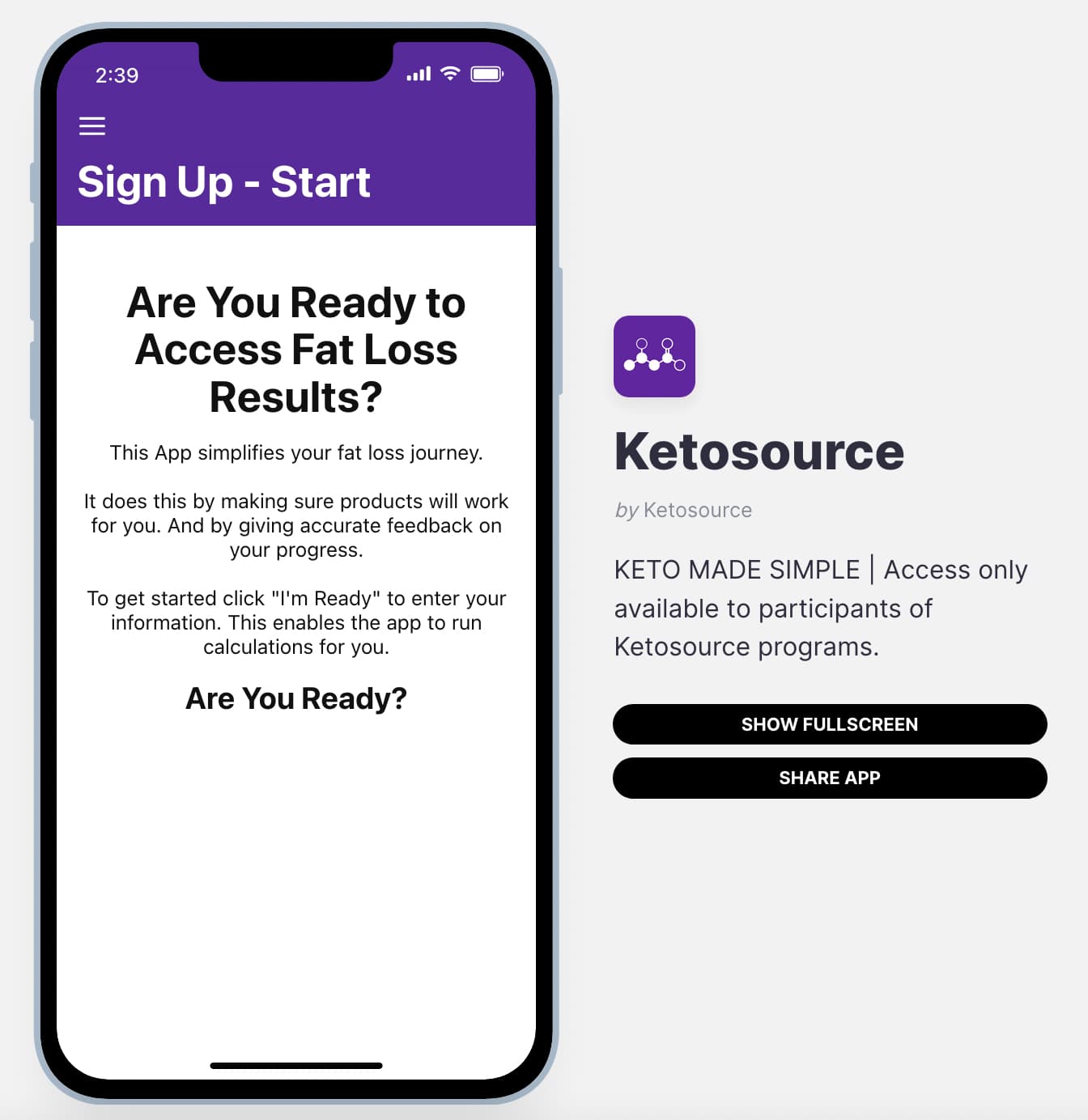
However I am not able to see the “I’m ready” button because there is no row selected in the increment configuration. You need to select “This item”
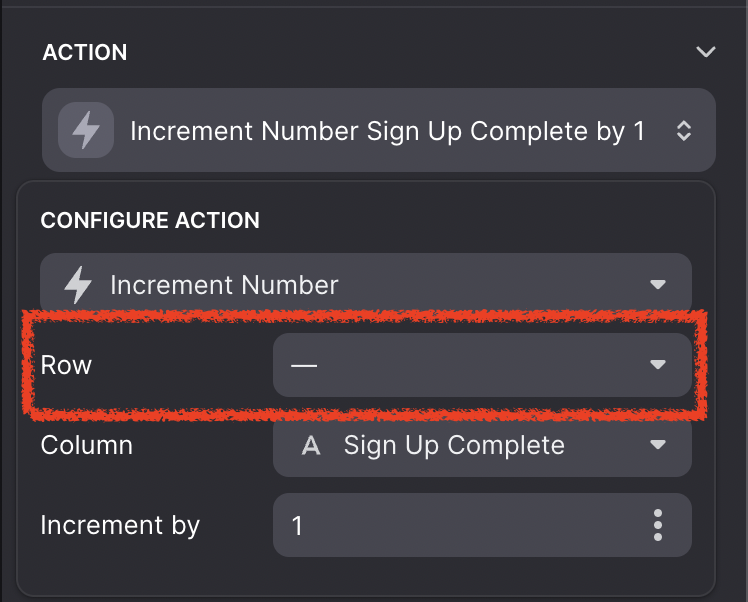
Could you check if that solves the issue?