# Complicated if then else
**URL:** https://community.glideapps.com/t/complicated-if-then-else/73170
**Category:** Ask for Help
**Created:** [May 8, 2024, 3:53am UTC](https://community.glideapps.com/t/complicated-if-then-else/73170 "2024-05-08T03:53:23Z")
**Posts on this page:** 9
**Page:** 1
### Author:  [@Katelyn\_Alberts](https://community.glideapps.com/u/Katelyn_Alberts)
#### Post date: [May 8, 2024, 3:53am UTC](https://community.glideapps.com/t/complicated-if-then-else/73170/1 "2024-05-08T03:53:23Z")
So my users have profiles where they can upload photos to advertise their work.
I want to put a limit on how many photos users can upload based on if they are a free or paid member
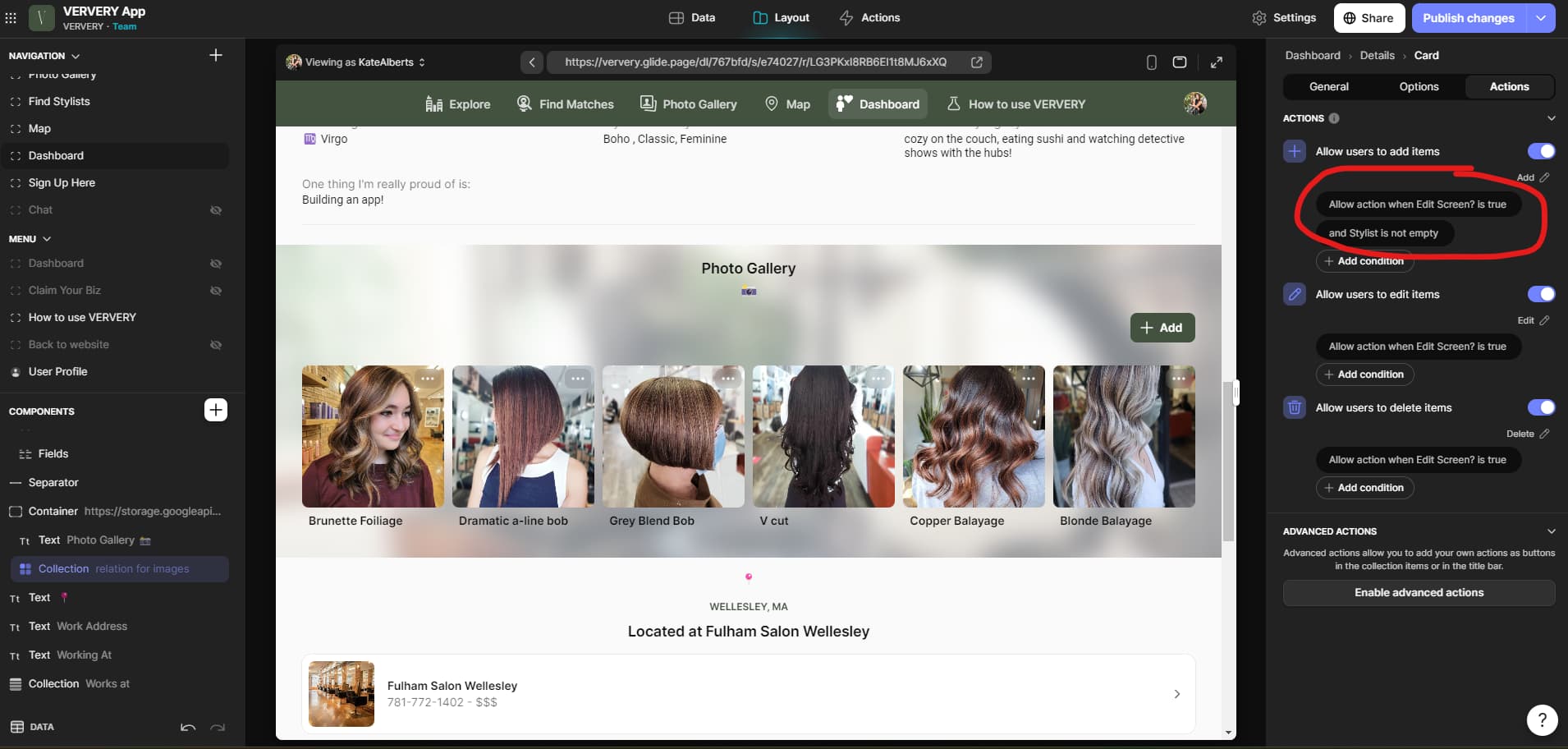
These are the conditions I want to have:
If they are free, they can upload up to 10 photos
if they are paid, they can upload up to 100 photos
My problem is that I can’t get my if-then-else conditions to work as exclusive conditions, and my visibility conditions for editing would complicated with conditioned for free or paid members _and_ being the profile owner.
For example, I started to set this up to that I could isolate how many free accounts had reached their limit:

But it included _paid accounts_ in the ‘limit reached’ bc they are over 10 photos.
Can I filter this in a different way so that all my conditions are met in one column?
---
### Author:  [@raajkumars](https://community.glideapps.com/u/raajkumars)
#### Post date: [May 8, 2024, 4:07am UTC](https://community.glideapps.com/t/complicated-if-then-else/73170/2 "2024-05-08T04:07:49Z")
I am not sure if I am understanding the rules correctly. But if you are saying that paid member’s max quota is 100 and that of free members is 10, then why not compute the quota first in an if-then-else column and then compared the total uploads with max quota in the limit reached column?


---
### Author:  [@Katelyn\_Alberts](https://community.glideapps.com/u/Katelyn_Alberts)
#### Post date: [May 8, 2024, 1:12pm UTC](https://community.glideapps.com/t/complicated-if-then-else/73170/3 "2024-05-08T13:12:35Z")
ah got it, let me try this then!
---
### Author:  [@raajkumars](https://community.glideapps.com/u/raajkumars)
#### Post date: [May 8, 2024, 2:18pm UTC](https://community.glideapps.com/t/complicated-if-then-else/73170/4 "2024-05-08T14:18:28Z")
Let us know if that works for you. BTW: This approach is useful if you need those intermediate computed columns. For ex: I would assume that “Max Uploads” will be useful to display it somewhere on the UI. In cases where that intermediate column(s) are not needed, I prefer using simple javascripts or experimental code hosted on github pages.
---
### Author:  [@Katelyn\_Alberts](https://community.glideapps.com/u/Katelyn_Alberts)
#### Post date: [May 8, 2024, 2:55pm UTC](https://community.glideapps.com/t/complicated-if-then-else/73170/5 "2024-05-08T14:55:52Z")
yes that worked!! Now i need to send column data to the salon table from the images table in order to apply it to the screen.
Do you know how I can relate the “limit reached” column to the row owner on a different table?

---
### Author:  [@raajkumars](https://community.glideapps.com/u/raajkumars)
#### Post date: [May 8, 2024, 3:21pm UTC](https://community.glideapps.com/t/complicated-if-then-else/73170/6 "2024-05-08T15:21:24Z")
Great! As for bringing one or more columns from one table to into other tables, you will need an unique id that can be used to establish a relationship. For ex: It the `Row ID` from the `Images` table included in the `Salon` table already? If so you can use that to establish a one-to-many relationship in `Salon` table.
But wait! It sounds like your `Images` table will hold many images for each `Salon`. Is that right? If so, why are you computing the `limit reached` column on the `Images` table? Typically, columns such as `max images allowed` and `limit reached` should go into the parent table, because you need them computed only once per parent row. For example:
### Users Table
| @ Email | Is Paid Client | Max Images | Images | Total Images | Limit Reached |
| --- | --- | --- | --- | --- | --- |
| [user1@example.com](mailto:user1@example.com) | true | 100 | Images List | 85 | false |
| [user2@example.com](mailto:user2@example.com) | false | 10 | Images List | 10 | true |
| [user3@example.com](mailto:user3@example.com) | true | 100 | Images List | 101 | true |
| [user4@example.com](mailto:user4@example.com) | false | 10 | Images List | 3 | false |
| [user5@example.com](mailto:user5@example.com) | true | 100 | Images List | 50 | false |
| [user6@example.com](mailto:user6@example.com) | false | 10 | Images List | 7 | false |
### Images Table
| Image ID | @ Email | Image URL | Description |
| --- | --- | --- | --- |
| 1 | [user1@example.com](mailto:user1@example.com) | [https://example.com/image1.jpg](https://example.com/image1.jpg) | Sample image 1 |
| 2 | [user1@example.com](mailto:user1@example.com) | [https://example.com/image2.jpg](https://example.com/image2.jpg) | Sample image 2 |
| 3 | [user1@example.com](mailto:user1@example.com) | [https://example.com/image3.jpg](https://example.com/image3.jpg) | Sample image 3 |
| 4 | [user2@example.com](mailto:user2@example.com) | [https://example.com/image4.jpg](https://example.com/image4.jpg) | Sample image 4 |
| 5 | [user2@example.com](mailto:user2@example.com) | [https://example.com/image5.jpg](https://example.com/image5.jpg) | Sample image 5 |
| 6 | [user2@example.com](mailto:user2@example.com) | [https://example.com/image6.jpg](https://example.com/image6.jpg) | Sample image 6 |
| 7 | [user3@example.com](mailto:user3@example.com) | [https://example.com/image7.jpg](https://example.com/image7.jpg) | Sample image 7 |
| 8 | [user3@example.com](mailto:user3@example.com) | [https://example.com/image8.jpg](https://example.com/image8.jpg) | Sample image 8 |
| 9 | [user4@example.com](mailto:user4@example.com) | [https://example.com/image9.jpg](https://example.com/image9.jpg) | Sample image 9 |
| 10 | [user5@example.com](mailto:user5@example.com) | [https://example.com/image10.jpg](https://example.com/image10.jpg) | Sample image 10 |
| 11 | [user5@example.com](mailto:user5@example.com) | [https://example.com/image11.jpg](https://example.com/image11.jpg) | Sample image 11 |
| 12 | [user6@example.com](mailto:user6@example.com) | [https://example.com/image12.jpg](https://example.com/image12.jpg) | Sample image 12 |
In the example above, the two tables are linked via the `@ Email` column. You would set mark the `@ Email` column on the `Images` table as `Row Owner` so that only the user’s images are sent to the UI. On the `Users` table, the column `Images` should be a `one-to-many` relationship. The column `Total Images` will be count of `Images` column. The columns `Max Images` and `Limit Reached` will be computed columns we discussed before.
---
### Author:  [@Katelyn\_Alberts](https://community.glideapps.com/u/Katelyn_Alberts)
#### Post date: [May 8, 2024, 4:21pm UTC](https://community.glideapps.com/t/complicated-if-then-else/73170/7 "2024-05-08T16:21:03Z")
Ok I just tried to pull in the images to the salons tables and get a roll up - but i ran into a problem where it messed up the count.
I have email address that are associated with multiple salons and the relation combined salon images together making the total higher than what each business actually has uploaded. (this is why i have it linked via row ID vs email)
for example, this 102 count is actually the total of 3 different business profiles all under the same email


Is there a way to just lookup the 'limit reached" if-then-else from the photos and bring it to the salons table?
---
### Author:  [@raajkumars](https://community.glideapps.com/u/raajkumars)
#### Post date: [May 8, 2024, 4:35pm UTC](https://community.glideapps.com/t/complicated-if-then-else/73170/8 "2024-05-08T16:35:15Z")
Ah! I understand. Does the `Images` table include an unique column that relates to the business to which each image belongs? Also can each business have more than one email with individual quotas? If so, replace the relation column with a query that selects rows from `Images` table and add filters to include only image’s with matching business id and email id.
---
### Author:  [@Katelyn\_Alberts](https://community.glideapps.com/u/Katelyn_Alberts)
#### Post date: [May 8, 2024, 4:53pm UTC](https://community.glideapps.com/t/complicated-if-then-else/73170/9 "2024-05-08T16:53:17Z")
ok got it, that worked, and changed that “102” uploads to 32 (which is the accurate number for that business!)

So now i just have to recreate the limit columns on the salons table!