# Advanced Booking App Calendar doesn't work well
**URL:** https://community.glideapps.com/t/advanced-booking-app-calendar-doesnt-work-well/85328
**Category:** Ask for Help
**Created:** [November 12, 2025, 12:42pm UTC](https://community.glideapps.com/t/advanced-booking-app-calendar-doesnt-work-well/85328 "2025-11-12T12:42:34Z")
**Posts on this page:** 3
**Page:** 1
### Author:  [@Nicola\_Elefante](https://community.glideapps.com/u/Nicola_Elefante)
#### Post date: [November 12, 2025, 12:42pm UTC](https://community.glideapps.com/t/advanced-booking-app-calendar-doesnt-work-well/85328/1 "2025-11-12T12:42:34Z")
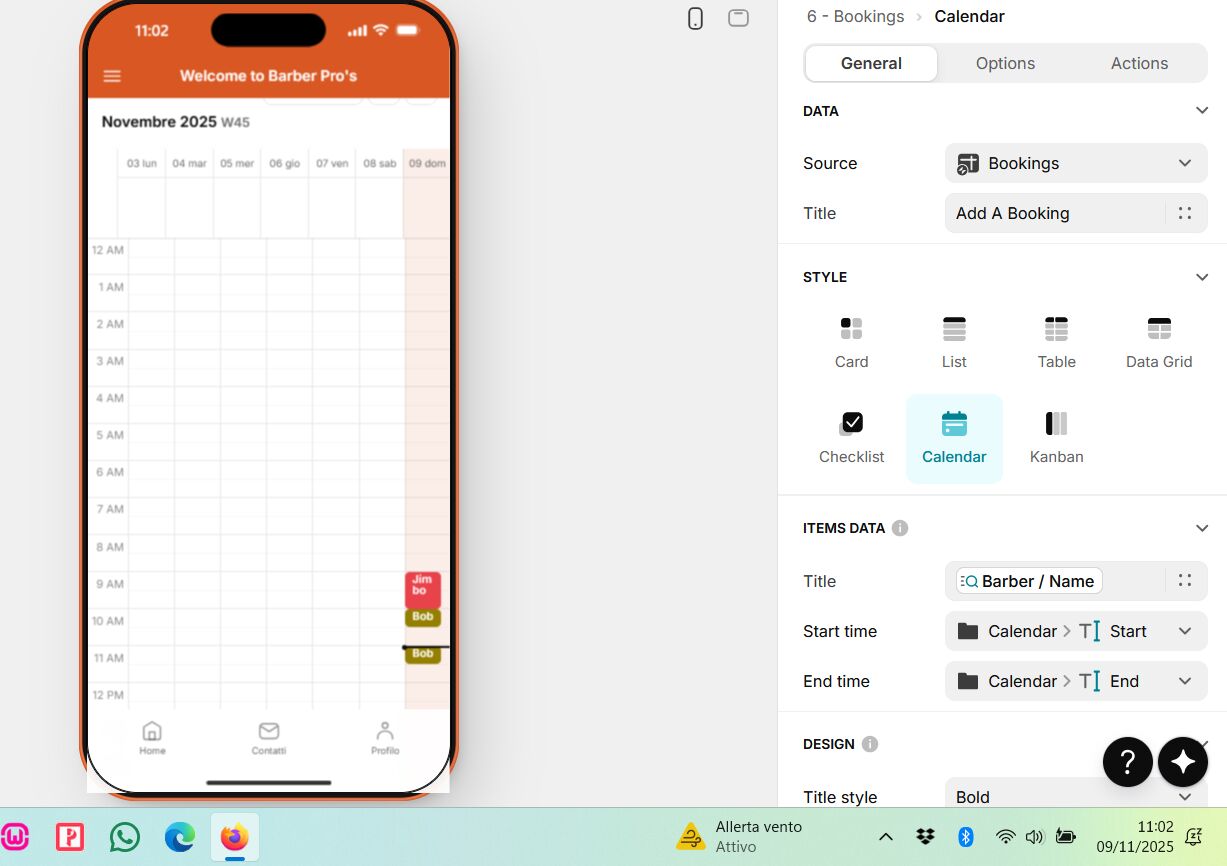
Sorry if I go back to the topic, I’m going crazy with the calendar component, I’ve checked both the tables and the graphics several times and I think I’ve corrected all the errors (at least I hope so), but when I go to confirm the reservation for a XXX day, in the calendar the reservation is seen in today’s date and not in the booking date. I have attached the screenshots in question. You can help me, thank you.

---
### Author:  [@michael\_gonzalez](https://community.glideapps.com/u/michael_gonzalez)
#### Post date: [November 12, 2025, 8:00pm UTC](https://community.glideapps.com/t/advanced-booking-app-calendar-doesnt-work-well/85328/2 "2025-11-12T20:00:10Z")
I have seen the same issue! Hope someone helps
---
### Author:  [@Jeff\_Hager](https://community.glideapps.com/u/Jeff_Hager)
#### Post date: [November 12, 2025, 8:31pm UTC](https://community.glideapps.com/t/advanced-booking-app-calendar-doesnt-work-well/85328/3 "2025-11-12T20:31:43Z")
What type of columns are the Start and End columns. Doesn’t really matter, but I’m just curious.
The main issue is that you have taken the formatted version of a date, and combined it with text that represents a time. You have created a text string, which is no longer recognized as a Date data type. The calendar is trying to interpret dates from text that is not in a standardized format and can not handle it very well. I think it’s further complicated because your week days and months are written out as text in a different language. The calendar has no ideas what date and time you are trying to give it, so it defaults to today.
You need to convert your text to a date. For something that is more likely to be compatible for users that read dates differently in different countries, I would use a math column to convert the date into YYYYMMDD. Then use a template column to merge it with the time. Then use a Text to Date column to convert the template of date and time into a valid date that the calendar can interpret.
```auto
Year(Date) * 10^4
+Month(Date) * 10^2
+Day(Date)
```